Video Editor


Video Editor Summary
Video Editor is a ad-supported, with in-app purchases Android app in Video Players by WeVideo Inc.. Released in Feb 2013 (13 years ago). It has about 12.8M+ installs and 165.1K ratings with a 3.74★ (average) average. Based on AppGoblin estimates, it reaches roughly 36.7K monthly active users and generates around $<10K monthly revenue (27% IAP / 73% ads). Store metadata: updated Oct 10, 2025, version 466.
Recent activity: 447 installs this week (1.9K over 4 weeks) showing steady growth , and -14 new ratings this week View trends →
Data tracking: SDKs and third-party integrations were last analyzed on May 7, 2026. The app's network data flows (API traffic to/from the app and its SDKs) were last crawled on Mar 7, 2026.
Store info: Last updated on Google Play on Oct 10, 2025 (version 466).
Video Editor was last scanned for SDKs 2026-05-07. Below is the overview of third party companies detected in the app. The full list of raw SDKs, app permissions and unknown SDKs is available here.
 Airbnb Engineering
 Square
 Google
 Google Analytics
 Firebase
 Facebook
3.74★
Ratings: 165.1K
Screenshots

App Description
Create, edit and share amazing videos in minutes. An Android Excellence app!
Capture, edit and share incredible videos - anywhere, anytime - for your personal life, school work, and your business with WeVideo’s video editor for Android.
With WeVideo and your mobile device, you don’t need to be a professional to create and share compelling, high-quality videos.
EASY-TO-USE VIDEO EDITOR:
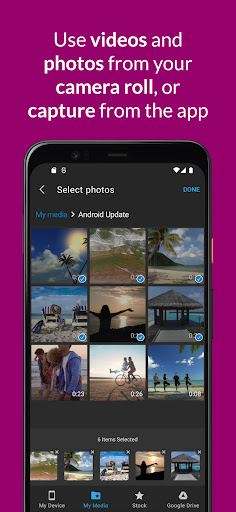
• Use videos and photos from your camera roll on your phone, or capture them from your camera
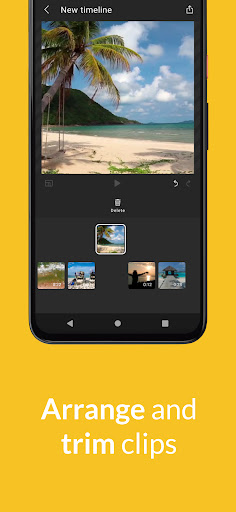
• Arrange and trim clips
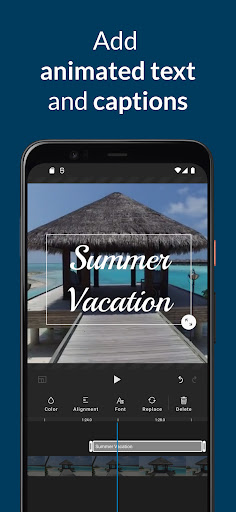
• Add text titles and captions
• Change the style of your videos with transitions, filters, animations, and more
• Enhance your video with voiceover and music tracks
• Share to TikTok, Snapchat, Instagram, and other social media channels
FEATURES
• EASY ACCESS AND CAPTURE
Access photos and videos from your photo library or capture them from your device’s camera
• CUT AND TRIM
Trim video clips and arrange them in the order you want
• TEXT TITLES AND CAPTIONS
Emphasize key points by adding text titles and captions
• AUDIO: MUSIC, SOUND EFFECTS, AND VOICEOVER
Enhance your video with voiceover narration, music tracks, and sound effects*
• EXTENSIVE CONTENT LIBRARY*
Leverage the WeVideo stock library that includes:
⁃ Royalty-free video clips
⁃ Royalty-free music tracks
⁃ Royalty-free photos and illustrations
⁃ Motion titles
⁃ Transitions
⁃ Font
⁃ Filters
• STUNNING VIDEO EFFECTS
⁃ Photo animations - Use the Ken Burns effect to make photos come alive
⁃ Remove the WeVideo watermark (paid plans)
• EASY TO STORE, EXPORT, PUBLISH AND SHARE
⁃ Publish your videos in up to 4K Ultra HD*
⁃ Format your videos in vertical or landscape (9:16, 1:1, 16:9) for easy viewing on any device
⁃ Save to your device or store in the cloud*
⁃ Share directly to social media sites like:
TikTok
Snapchat
Instagram
Facebook
* Dependent on your plan type
Love the WeVideo video editor?
Like us on Facebook: http/www.facebook.com/wevideo
Follow us on Twitter: http://twitter.com/wevideo
Privacy policy: https//www.wevideo.com/privacy
Terms of use: https://www.wevideo.com/terms-of-use