WhatsDelete | Deleted Messages


WhatsDelete | Deleted Messages Summary
WhatsDelete | Deleted Messages is a mobile Android app in Tools by Mobile Software Studio. Released in Mar 2026 (2 months ago). It has about 1.1K+ installs Based on AppGoblin estimates, it reaches roughly 225 monthly active users . Store metadata: updated Apr 1, 2026.
Recent activity: 93 installs this week (456 over 4 weeks) showing declining growth View trends →
Store info: Last updated on Google Play on Apr 1, 2026 .
0★
Ratings: 0
Screenshots
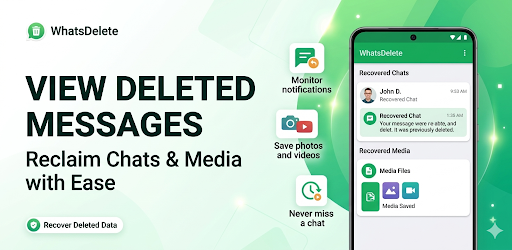


App Description
WhatsDelete is a WhatsApp Deleted message & media recovery app for WhatsApp
WhatsDelete is a free deleted message and photo recovery app for WhatsApp.
You can view Deleted messages of WhatsApp with ease. Recover deleted messages by scanning WhatsApp notifications.
Open the whatsdelete app, read the message, without turning off the last seen and blue seen confirmation in WhatsApp settings.
View Deleted Messages of Whatsapp:
If you want to view the messages deleted by the sender with the delete for everyone feature of WhatsApp, simply download this application. Thanks to our application, you will be informed about the messages that the sender has deleted.
WhatsApp Photo Recovery App:
WhatsDelete app also helps you to recover deleted photos from WhatsApp. It is the best photo recovery app for WhatsApp. Since we are scanning your WhatsApp notifications, if the sender has deleted a photo, our application will notice it and notify you.
Hide Blue Seen Confirmation for WhatsApp:
Thanks to our application, you can see all the messages sent by the sender without entering the chat. You can open pictures, audio and videos.
WhatsRecover: Recover deleted messages of WhatsApp
WhatsRecover helps you recover deleted messages of WhatsApp. WhatsRecover saves and displays the messages of the user deleted by the sender. It notifies you with a notification when there is a deleted message.
Important features of WhatsDelete App:
• Stylish design and easy to use.
• Check what has been removed from WhatsApp.
• Read WhatsApp messages without being seen.
• Save WhatsApp notifications for later viewing.
• View WhatsApp deleted messages and photos.
• You can view the incoming message and all media attachments (video, audio, gif, etc.) in its content.
• Blue tick and Hide WhatsApp Last Seen.
• Create a backup of your chat with WhatsApp and save media files.
• View all Whatsapp messages in one place.
Please Note: WhatsDeleted will not work in the following cases.
Our WhatsDelete application has an algorithm that reads and processes whatsapp notifications. Therefore, if the notification does not come, our application cannot perform the registration process.
If you muted a chat
If you are currently watching the chat.
If you have turned off notifications on your device.
If the messages were deleted before installing the application.
If all the permissions required by the app have not been granted.
If video attachments are not recovering, make sure automatic download is turned on.
An important point is that you can see your deleted messages and media after the application is installed. You cannot view previously deleted messages.
Disclaimer:
WhatsDelete is not affiliated with WhatsApp Inc. or not supported by WhatsApp Inc.