WiFi Analyzer: Analyze Network


WiFi Analyzer: Analyze Network Summary
WiFi Analyzer: Analyze Network is a ad-supported Android app in Tools by WiFi Router Manager - WiFi Repeater. Released in Sep 2018 (7 years ago). It has about 603.7K+ installs and 7.2K ratings with a 4.02★ (good) average. Based on AppGoblin estimates, it reaches roughly 8.5K monthly active users and generates around $<10K monthly revenue (0% IAP / 100% ads). Store metadata: updated Mar 20, 2026.
Recent activity: 8K installs this week (8.3K over 4 weeks) showing exceptional growth , and -1 new ratings this week View trends →
Store info: Last updated on Google Play on Mar 20, 2026 .
4.02★
Ratings: 7.2K
Screenshots


App Description
WiFi Analyzer : Super Network Analyzer to Optimize your WiFi network.
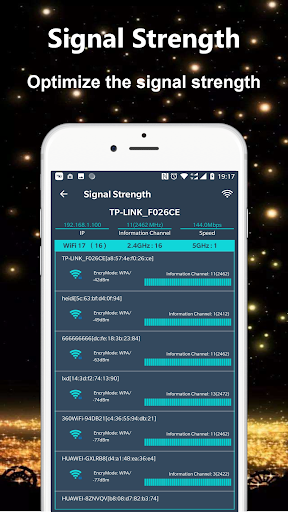
WiFi Analyzer - Network Analyzer used to optimise wifi Networks by scanning signal strength, Crowded signal and WiFi Channel rating.
The WiFi Analyzer app shows the Wi-Fi channels around you. It can helps you to find a less crowded channel for your wifi router.
Network Analyzer helps Optimize your WiFi network by examining surrounding WiFi networks, measuring their signal strength as well as identifying crowded channels. It will recommends the best channel for your network. WiFi Analyzer gives you the most useful optimization information to help decrease interference and increase connection speed and stability.
The app provides useful information about wireless signals around you. it supports 2.4Ghz and 5Ghz. WiFi Analyzer(Network Analyzer) app helps increase the network performance via analyzing and monitoring your wifi network!
Features:
- WiFi Optimizer for Interference Issues
- WiFi Channel Analyzer for Nearby APs
- Supports 2.4GHz/5GHz
- WiFi Channel Optimizer
- WiFi Analyzer provides you information individualy on wifi channels
- It shows signal strength in history graph
- WiFi Analyzer recommends the best wifi channels
- Information of the wifi channel width (20/40/80MHz)
- Wifi analytics