WiFi FTP Server

WiFi FTP Server Summary
WiFi FTP Server is a ad-supported Android app in Tools by Crypto Softwares. Released in Jul 2025 (9 months ago). It has about 605+ installs Based on AppGoblin estimates, it reaches roughly 55 monthly active users and generates around $<10K monthly revenue (0% IAP / 100% ads). Store metadata: updated Jul 17, 2025.
Recent activity: 9.00 installs this week (56 over 4 weeks) showing steady growth View trends →
Store info: Last updated on Google Play on Jul 17, 2025 .
0★
Ratings: 0
Screenshots



App Description
Turn your Android into a secure FTPS/FTP server for file transfer over Wi‑Fi.
Turn your Android device into a powerful FTPS/FTP server with WiFi FTP Server! Transfer files, photos, videos, music — securely and cable‑free — over Wi‑Fi or your mobile hotspot.
🔧 Top Features & Benefits
• Full FTP + FTPS (TLS/SSL) – Secure your transfers with password or anonymous login
• Custom port configuration – Default port 2221; change it to avoid conflicts
• Entire device or SD‑card access – Select default or custom mount-folder
• Anonymous and user/password modes – Flexible for personal or shared use
• Works over Wi‑Fi & hotspot – Seamless transfers without USB cables
• Access via FTP clients or file explorer – Compatible with FileZilla, Windows Explorer, WinSCP, SolidExplorer, AndFTP, Total Commander
🛠 Why choose WiFi FTP Server?
• Lightweight and highly efficient utility—run it anytime
• Simple, intuitive interface—start the server with one tap
• Robust and stable performance for large file transfers
✅ How to get started:
Connect to Wi‑Fi or enable hotspot
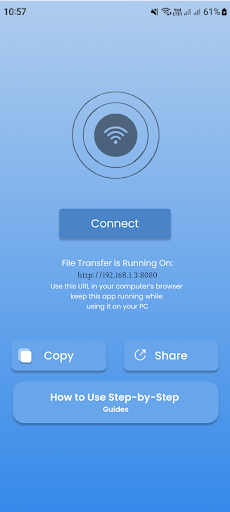
Open the app and tap Start
Copy the FTP/FTPS address shown
Connect using any FTP client (FileZilla, Windows Explorer)
To access SD‑card: Settings → Mount folder → select SD card
🚀 Ideal for:
• Photographers & videographers transferring media on the go
• Users needing cable‑free Android backups
• Anyone managing Android files from PCs or laptops
🔐 Security & Customization:
FTPS supported (TLS/SSL) for encrypted transfers
Optional anonymous login — keep access open or private
Customizable ports and folder access
Works over hotspots or shared Wi‑Fi networks