WinZip – Zip UnZip Tool


WinZip – Zip UnZip Tool Summary
WinZip – Zip UnZip Tool is a ad-supported, with in-app purchases Android app in Productivity by WinZip Computing, LLC. Released in Jun 2012 (13 years ago). It has about 31M+ installs and 102.9K ratings with a 3.12★ (mixed) average. Based on AppGoblin estimates, it reaches roughly 3.1M monthly active users and generates around $200K+ monthly revenue (27% IAP / 73% ads). Store metadata: updated Jan 11, 2024, version 70110.
Recent activity: 4.1K installs this week (16.4K over 4 weeks) showing steady growth , and -12 new ratings this week View trends →
Data tracking: SDKs and third-party integrations were last analyzed on Feb 10, 2025. The app's network data flows (API traffic to/from the app and its SDKs) were last crawled on May 22, 2026.
Store info: Last updated on Google Play on Jan 11, 2024 (version 70110).
SDKs, Trackers & Permissions
WinZip – Zip UnZip Tool was last scanned for SDKs 2025-02-10. Below is the overview of third party companies detected in the app. The full list of raw SDKs, app permissions and unknown SDKs is available here.
 Google
 Bumptech
 Jake Wharton
 Kotlin
 AdMob
AdMob Firebase
App Details
App Store
Ads & App-Ads.txt
AppGoblin SDK Scans
3.12★
Ratings: 102.9K
Screenshots



App Description
Makes it easy to create, extract and manage Zip files on your phone and tablet!
Get the world’s #1 zip file opener on Android! Create Zip and Zipx files, extract files, encrypt, open zip files, send large files by email, share to clouds.
Whether you receive a zip file as an email attachment, or want to extract and view the contents of a zip file from the web, just “Open with WinZip”. Sharing files is safe and simple too, with direct integration with multiple clouds.
WinZip makes it easy to handle major compressed types of files on your Android device!
Now you can:
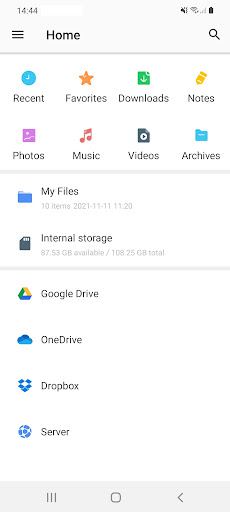
• Connect directly to your cloud accounts to zip, unzip and share files
• Zip your cloud storage files, unzip files to your accounts, and create and save .zip and .zipx files to your accounts
• Protect your files before you save and share with powerful 128- or 256-bit AES encryption
• Open and save email attachments to your connected cloud storage accounts
• Easily view all images in a Zip file with the enhanced image viewer
• Browse your Photo Album and easily multi-select, zip and share photo collections
• Unzip and view most common file types, including: .doc, .docx, .xls, .xlsx, .ppt, .pptx,.pdf, .jpg, .png, .bmp, .gif, .tif, and more
• Send or copy links to your files in your cloud storage accounts
• Copy files from your cloud storage accounts and save them on your device
• Unzip major compressed file types with just a tap
• Choose Zip or Zipx format to compress and email large files, photos and videos with ease
• Zip and share photos and videos from your device
• Use WinZip to access music files on your device and save them to your cloud accounts
Notes: These features are Premium only:
• Create and protect Zip and Zipx files with 128- and 256-bit AES encryption
• Immediate access to ‘Zip & email’ feature
• Direct integration of multiple cloud storages
WinZip for Android lets you open other popular file types in third party apps:
- Word documents (.doc, .docx)
- Excel spreadsheets (.xls, .xlsx)
- PowerPoint presentations (.ppt, .pptx)
- PDF files (.pdf)
WinZip for Android lets you view:
- Photos and images (.jpg, .jpeg, .png, .bmp, .gif)
- Text files (.rtf, .csv, .txt, .ini, .inf, .bat, .js, .log, .xml,.css, .java, .cs, .h, .m,.cpp,.c,.sql,. properties)
- Web files (htm, .html,.jsp,.asp)
- Apk files (.apk)
- Comic book files (.cbz)
Compatible with Android operating syst