NotifyBuddy - Notification LED


NotifyBuddy - Notification LED Summary
NotifyBuddy - Notification LED is a ad-supported, with in-app purchases Android app in Personalization by XanderApps. Released in Jul 2019 (6 years ago). It has about 8.7M+ installs and 54.7K ratings with a 4.07★ (good) average. Based on AppGoblin estimates, it reaches roughly 45.7K monthly active users and generates around $<10K monthly revenue (38% IAP / 62% ads). Store metadata: updated Aug 13, 2024, version 206.
Recent activity: 3.5K installs this week (17.2K over 4 weeks) showing steady growth , and 11 new ratings this week View trends →
Data tracking: SDKs and third-party integrations were last analyzed on Apr 16, 2026. The app's network data flows (API traffic to/from the app and its SDKs) were last crawled on Dec 23, 2025.
Store info: Last updated on Google Play on Aug 13, 2024 (version 206).
NotifyBuddy - Notification LED was last scanned for SDKs 2026-04-16. Below is the overview of third party companies detected in the app. The full list of raw SDKs, app permissions and unknown SDKs is available here.
 Google
 AdMob
AdMob Firebase
4.07★
Ratings: 54.7K
Screenshots
App Description
Missing LED notifications on your phone!? Worry not!
So I was annoyed not having an LED notification light on my phone and I tried to make one of my own.
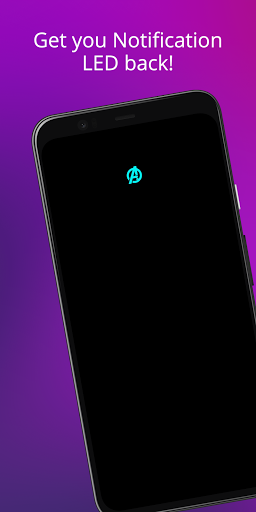
With phones having AMOLED display whenever a desired notification comes the app brings in a black screen with notification LED looking animation.
To use it:
1. Disable Ambient Display and any battery optimisation for the app.
2. Give notification access permission.
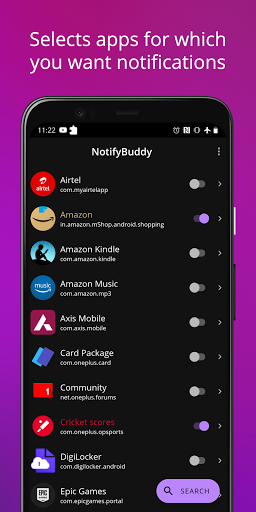
3 Select apps you want notifications for, by choosing a color
Note: On successfully selecting a color for an app the text in which the App name is written should change to that color
Thats it😇.
For MIUI 11 devices make sure that AutoStart is enabled in App Info. Also check "Show on lock screen" permission in other settings.
Settings image: https://drive.google.com/folderview?id=1yxrLd5u7kLSGBwviKhXYqM21YLC8Dhiv
Additional Features:
1. Change LED animation time.
2. Change LED colours.
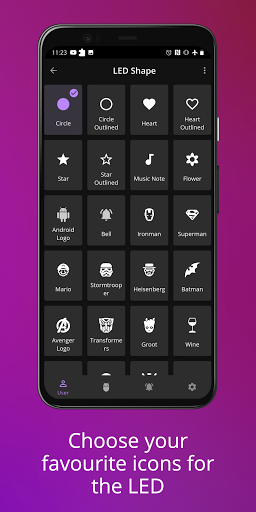
3. Change LED position.
4. Notify for missed calls.
5. Change LED size (Premium required!)
6. Add Downtime
And many more...
Premium version can be bought within the app to unlock all features!
If having problem head to : https://forum.xda-developers.com/oneplus-6t/themes/app-amoled-notification-light-t3943715/post79810512#post79810512