Precise Draw


Precise Draw Summary
Precise Draw is a ad-supported Android app in Tools by WeiHai XiaoHao Co.,Ltd.. Released in Apr 2024 (2 years ago). It has about 169+ installs Based on AppGoblin estimates, it reaches roughly 12 monthly active users and generates around $<10K monthly revenue (0% IAP / 100% ads). Store metadata: updated Jul 8, 2025.
Recent activity: 1.00 installs this week (14 over 4 weeks) showing steady growth View trends →
Store info: Last updated on Google Play on Jul 8, 2025 .
0★
Ratings: 0
Screenshots

App Description
Draw,Gif,png,WEBP,crop,sketch,cutout,graffiti,icon,image,photo,animation,ps,cut
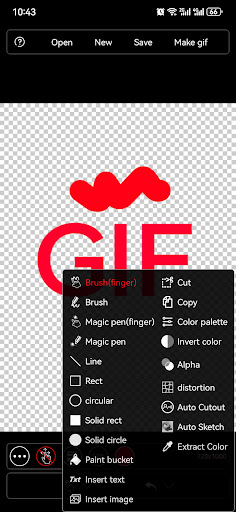
An application that can accurately draw and process images. You can specify coordinate pixels when drawing various shapes and cropping, and you can also enlarge the image for local fine processing. Because the finger operation of the mobile phone is not precise enough, a virtual brush is added to the application, and details can be processed by dragging the brush.
The specific functions are as follows:
1. Supports drawing basic graphics such as curves, straight lines, rectangles, circles, etc.
2. Support area cropping, copying, filling, and color picking
3. Support inserting images and text
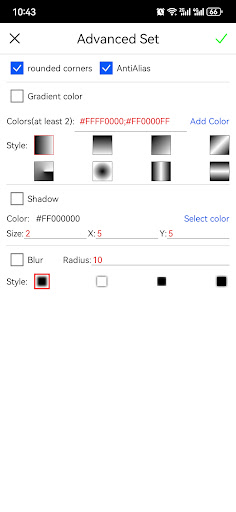
4. Supports rounded corners function when drawing and saving graphics.
5. Supports advanced cutout, sketching, distortion, filter processing, blur processing, shadow, inverse color, transparency, gradient color processing, etc.
6. Support 3D processing, including rotation, left and right flipping, up and down flipping, etc.
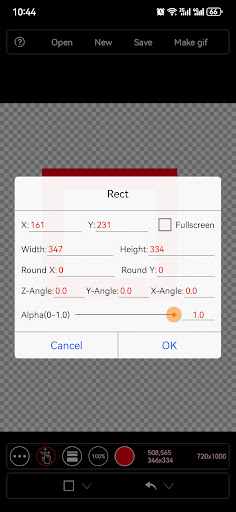
7. Support input settings of coordinates and size in application processing, which can process images more accurately.
8. Supports exporting Gif files, such as recording the graffiti process into a gif file
9. Supports area cropping and saving to files, and supports exporting png files.
10. The image is supported up to 16 times. You can drag the image for partial editing by locking the edit button.
The purpose of designing this application is to adapt to the mobile phone screen and allow users to use the mobile phone to achieve fine image editing functions that can only be achieved by computers.