Digital Clock Live Wallpaper
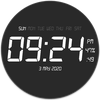

Digital Clock Live Wallpaper Summary
Digital Clock Live Wallpaper is a ad-supported Android app in Personalization by YadavApp. Released in Apr 2019 (7 years ago). It has about 1.2M+ installs and 25.9K ratings with a 4.45★ (good) average. Based on AppGoblin estimates, it reaches roughly 39.6K monthly active users and generates around $<10K monthly revenue (0% IAP / 100% ads). Store metadata: updated Dec 15, 2025.
Recent activity: 596 installs this week (2K over 4 weeks) showing steady growth , and 9.00 new ratings this week View trends →
Store info: Last updated on Google Play on Dec 15, 2025 .
4.45★
Ratings: 25.9K
Screenshots


App Description
Customize your digital clock live wallpaper in your style
Digital Clock Live Wallpaper that displays current time, date and day of the week. All date and time formats are supported.
Customize your digital clock live wallpaper in your style , you can change clock and background color according to you
Live Wallpaper that displays current time, date and battery charge percentage . All date formats are supported.
Names of month and day of week and year is displaying on screen
Features:-
*Change Font of Clock.
*Change Font Size of Clock.
*Time format (12Hr & 24Hr).
*Selected color set on your digital clock live wallpaper.
*Displays Current Day Date(Enable/Disable)
*Change format of Date Display
*Change clock text and background color
*Glow Effect(Enable/Disable)
*Display second (Enable/Disable)
*Display battery percentage (Enable/Disable)
Hints:-
* To change date or time press: "Settings - Date and Time format".
Use:-
Press button "Settings..." to configure the wallpaper. Press button "Set wallpaper" to set it and start to use. You may configure wallpaper again.