Yandex Browser with Alice AI


Yandex Browser with Alice AI Summary
Yandex Browser with Alice AI is a free, ad-supported Android app in Personalization by Direct Cursus Computer Systems Trading LLC. Released in Jun 2013 (13 years ago). It has about 319.5M+ installs and 3M ratings with a 4.61★ (excellent) average. Based on AppGoblin estimates, it reaches roughly 2.1M monthly active users and generates around $100K+ monthly revenue (0% IAP / 100% ads). Store last updated Oct 1, 2026
Recent activity: 997K installs this week (2.1M over 4 weeks) showing steady growth , and 2.9K new ratings this week View trends →
Advertising: AppGoblin has tracked 31 ad creatives this app uses for paid user acquisition across ad networks.
SDK intelligence: AppGoblin detected 9 development tools(e.g. Google), 4 ad networks, 3 analytics: attribution,and 1 analytics: product integrated into Yandex Browser with Alice AI. View full SDK list →
Data tracking: The app's network data flows (API traffic to/from the app and its SDKs) were last crawled on Nov 5, 2025.
Yandex Browser with Alice AI SDKs Summary
Yandex Browser with Alice AI was last scanned for SDKs on 2026-10-03. Below is the overview of third-party companies detected in the app. The full list of SDKs, permissions and unknowns is available here.
 Google
 Facebook
 VK
VK Yandex
 Square
 Airbnb Engineering
 Kotlin
 AppsFlyer
 Yandex Metrica
 AppMetrica
 Firebase
4.61★
Ratings: 3M
Screenshots


App Description
Yandex Browser — stylish and secure, with voice search and data compression
Yandex Browser — stylish and secure, with voice search and data compression.
Get rid of annoying ads on websites by integrating third-party blocking apps with ad blocking.
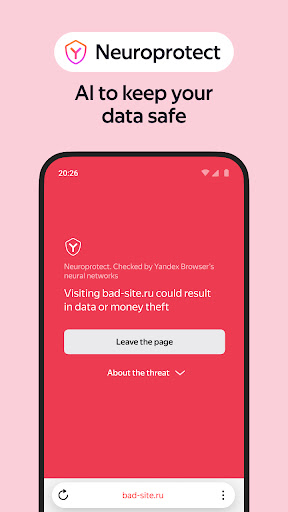
Protect your personal data when using public Wi-Fi networks and stay away from harmful or fraudulent pages with the browser’s active security system Protect.
Hide unrelated interface elements — ads, site menus, buttons, or widgets — and leave only the relevant text and accompanying images on the screen with Reader Mode.
Surf the web in private using Incognito Mode — Yandex Browser will not keep track of your passwords, search queries, or browsing history in this mode.
Customize your Yandex Browser with a wide array of backgrounds in the wallpaper library to suit any style or mood.
Access your favorite websites and bookmarks on any of your devices – just allow syncing of your data in your Yandex account.
If you have any questions or suggestions, you can contact us straight from the app, or via https://browser.yandex.com/feedback.