AR Draw Sketch: Sketch & Paint
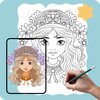

AR Draw Sketch: Sketch & Paint Summary
AR Draw Sketch: Sketch & Paint is a ad-supported, with in-app purchases Android app in Art And Design by YugiBC Inc. Released in Dec 2023 (2 years ago). It has about 858.8K+ installs and 465 ratings with a 3.45★ (mixed) average. Based on AppGoblin estimates, it reaches roughly 43.9K monthly active users and generates around $<10K monthly revenue (52% IAP / 48% ads). Store metadata: updated Apr 2, 2024.
Recent activity: 14.6K installs this week (25.6K over 4 weeks) showing exceptional growth View trends →
Data tracking: SDKs and third-party integrations were last analyzed on Feb 28, 2024.
Store info: Last updated on Google Play on Apr 2, 2024 .
AR Draw Sketch: Sketch & Paint was last scanned for SDKs 2024-02-28. Below is the overview of third party companies detected in the app. The full list of raw SDKs, app permissions and unknown SDKs is available here.
 Google
 Unity
Unity Firebase
 Mintegral
 AppLovin
3.45★
Ratings: 465
Screenshots

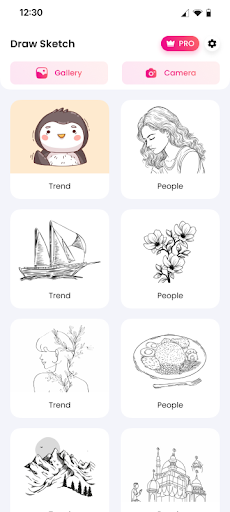
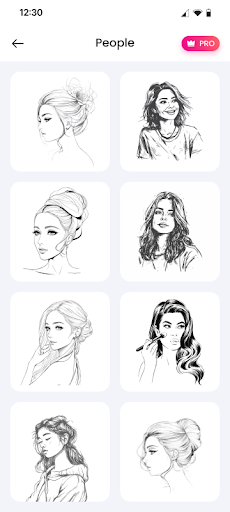

App Description
Use the camera on your device to put things from the real world to your sketches
AR Draw Sketch: Sketch & Paint is the best app that allows a simple way to learn drawing. Utilize the AR Draw Sketch tool as the simplest approach to attempt to learn how to draw. AR Draw Sketch: Sketch & Paint combines the artistic expression of painting and sketching with reality. Users may release their creative talents and give their imaginations new life in this AR Draw Sketch: Sketch & Paint app. AR Draw Sketch offers a variety of tools and functions to improve your artistic expression, whether you're a professional artist or just someone who enjoys sketching.
Predominant features:
️🎨 Draw by using your phone's camera.
️🎨 Many themes to sketch: animals, anime, chibi, flowers, for children, nature, cute, faces, food, vegetables, vehicles, and so on.
️🎨 A built-in flashlight makes drawing easier.
️🎨 Upload your drawing to the gallery.
️🎨 Make video clips of the sketching and painting processes.
️🎨 Make a sketch and try sketching with it.
️🎨 Modify drawing strokes to make it easier to draw and practice painting.
️🎨 Take a photo to use in your sketchbook, or select one from the gallery.
The most advanced AR technology:
🖌 Use the camera on your device to put things from the real world into your sketches. Then, make your sketches into an amazing work of art.
🖌 The size of the strokes and the thickness - lightness can all be adjusted to make painting easier.