ZenCrypt - Securely Encrypt


ZenCrypt - Securely Encrypt Summary
ZenCrypt - Securely Encrypt is a with in-app purchases Android app in Tools by Zestas. Released in Oct 2018 (7 years ago). It has about 27.3K+ installs and 256 ratings with a 3.08★ (mixed) average. Based on AppGoblin estimates, it reaches roughly 924 monthly active users and generates around $<10K monthly revenue (100% IAP / 0% ads). Store metadata: updated Jul 25, 2025.
Recent activity: 67 installs this week (237 over 4 weeks) showing below average growth View trends →
Store info: Last updated on Google Play on Jul 25, 2025 .
3.08★
Ratings: 256
Screenshots

App Description
Easy and secure way to encrypt what's more important to you.
🔸ZenCrypt is an all-in-one encryption app, which allows you to encrypt and decrypt files with one click. Protect your private data without hassle!
🔸Algorithm and mode : AES-256, CBC, block padding with PKCS7.
🔸IV Handling : Random IV generation on each encryption (16 bytes).
🔸Key generation : Random key generation with the updated generation code recommended for Android.
🔸Salt and Password : Computationally secure random salt (of cipher block size) and password stretching with PBKDF2 supported.
Additionally, ZenCrypt offers a password analysis tool for strength, crack times, weakness, etc using nulab\'s zxcvbn4j library.
🔸Source Code : ZenCrypt is now fully open-source. You can view the code on GitLab! https://gitlab.com/o.zestas/zencrypt
🔸Pro Version Features:
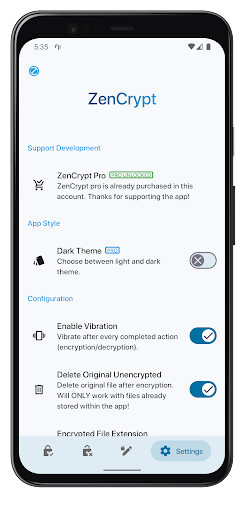
-Dark theme.
-Fingerprint Encryption.
🔸From version 3.0 onwards, ZenCrypt offers FREE unlimited encryptions!
Made with 💙
Please check out the FAQ below:
Q: What Files Can I Encrypt With This App?
A: You can encrypt any file type you want. That includes Pictures, Videos, Text, APKs, documents, PDFs etc. As long as it's in your device, it can be encrypted.
Q: How Do I Encrypt?
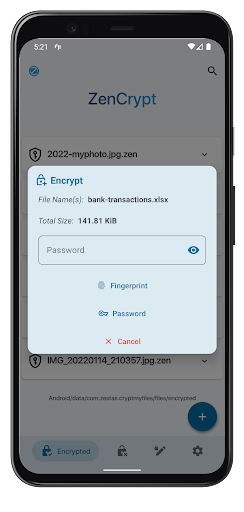
A: ZenCrypt supports encrypting using an alphanumerical password, or using a fingerprint, if your device supports it.
Q: How Robust Is ZenCrypt?
A: Although ZenCrypt is a very powerful tool and the encrypted files are very well protected against attacks, I can not guarantee the robustness of this app. What I can guarantee, is that I put a lot of effort to provide a more secure option for storing your files.
Q: Can Other Devices Decrypt?
A: As long as they have ZenCrypt installed, and the same password is used (either plain or in fingerprint configuration), absolutely.
Q: Can I Share The Encrypted Files?
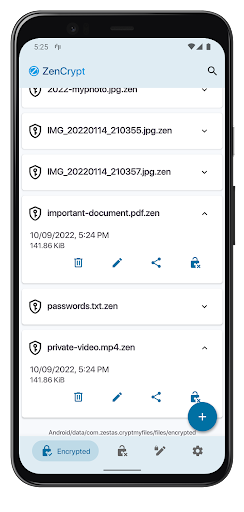
A: Yes. You can share them just like any other file, without worrying for your personal data.
Q: Can I Encrypt From External Storage?
A: Yes you can. ZenCrypt supports both internal and external storage, such as micro sd cards, usb, hard drives. You can also encrypt from cloud providers such as Google Drive.
Q: Is My Password That I Used For Encryption Stored?
A: No, and it never will be. ZenCrypt will never have an Internet permission, so your password a