Zip Extractor - UnZIP, UnRAR


Zip Extractor - UnZIP, UnRAR Summary
Zip Extractor - UnZIP, UnRAR is a ad-supported, with in-app purchases Android app in Tools by Bizcraft Apps. Released in Sep 2022 (3 years ago). It has about 5.9M+ installs and 64.9K ratings with a 4.41★ (good) average. Based on AppGoblin estimates, it reaches roughly 852.5K monthly active users and generates around $50K+ monthly revenue (32% IAP / 68% ads). Store metadata: updated Mar 5, 2026.
Recent activity: 2.2K installs this week (22.3K over 4 weeks) showing below average growth , and 66 new ratings this week View trends →
Advertising: AppGoblin detected 1.00 monetized ad creatives shown inside the app.
Data tracking: SDKs and third-party integrations were last analyzed on May 7, 2025. The app's network data flows (API traffic to/from the app and its SDKs) were last crawled on May 30, 2025.
Store info: Last updated on Google Play on Mar 5, 2026 .
SDKs, Trackers & Permissions
Zip Extractor - UnZIP, UnRAR was last scanned for SDKs 2025-05-07. Below is the overview of third party companies detected in the app. The full list of raw SDKs, app permissions and unknown SDKs is available here.
AppGoblin saw Zip Extractor - UnZIP, UnRAR uses 1 Analytics: Product
 Firebase
AppGoblin saw Zip Extractor - UnZIP, UnRAR uses 3 Ad Networks
 Google
 AppLovin
 Facebook
AppGoblin saw Zip Extractor - UnZIP, UnRAR uses 8 Development Tools
 Jake Wharton
 JetBrains
 Bumptech
AppGoblin saw Zip Extractor - UnZIP, UnRAR uses 1 Mediation
 AdMob
AdMobApp Details
App Store
Ads & App-Ads.txt
AppGoblin SDK Scans
4.41★
Ratings: 64.9K
Screenshots


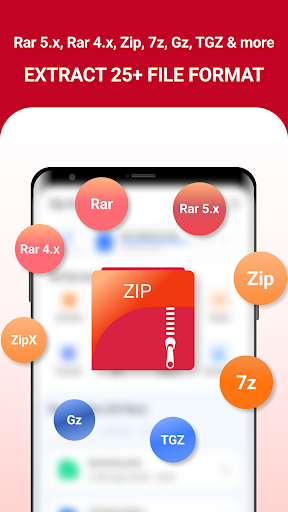
App Description
Easy unrar, unzip, rar extractor opener & compress to zip, 7z file with password
Zip Extractor: Rar Opener – Easy Archive Fun!
Have you ever received a giant folder at work only to find out the attachment is just way too big for your phone to open? It is really amusing to see how a simple tool can actually take those heavy archives and make them accessible in seconds. Zip Extractor: Rar Opener is built for those times when you need to handle dozens of documents on your device. You keep your important data but the file management is just better.✨ File Management Magic Features ✨:
🎬 Zip Extractor: Rar Opener for quick archive shrinking;
🎵 Rar Extractor: Zip File Opener for document extraction;
📉 Unzip: Zip File Opener for storage management;
🛠️ Zip Maker: Rar File Extractor for final compression touches;
🔊 Unzip Files: Rar Reader For Android for easy viewing;
📲 Zip File Reader: Rar Viewer for mobile file security;
⚡ Fast results for every single person using it;
✂️ Simple password protection for all your daily folders.
How to best enjoy your Rar Extractor: Zip File Opener!
Life moves fast and honestly it is just nice to have a way to turn a 5GB archive into a simple zip format without any stress at all. Using the Zip Extractor: Rar Opener to fix your downloads or even to clear up your storage is fun and is streamlined. Users of this tool have fun with the results. People using the software see their new files appear instantly. It is that simple to use the Rar Extractor: Zip File Opener.📷 Shrink and Extract:
With the Unzip: Zip File Opener, magic feels as if it can occur on your screen while the app processes the data. In just seconds, the software makes the file much lighter for sharing with your boss. All you have to do is tap the button and let the software do its magic. This helps settle those moments when your phone storage is completely full. Perfect results become possible with the smart mode, activated within the Zip Maker: Rar File Extractor.
📅 Beyond Basic Swaps:
The Zip Maker: Rar File Extractor feature has great benefits for your creative office projects. It even helps you with high quality tools like AES encryption or 7z support. Using the built-in system, you can pick between compressing a video or adding a password. It does the heavy lifting so you can focus on the work. Users of the Unzip Files: Rar Reader For Android have a great experience.
🖼️ Quality and Vision:
The Zip File Reader: Rar Viewer is best shown off when you need to grab a specific photo from a massive folder. Check the output folder so you can see your new high quality file ready to play or view. It is a great way to stay organized with your email attachments. The results are often surprising for the transfer speed. Users like to see the Zip File Reader: Rar Viewer results right on their own devices. The software really makes the Zip File Reader: Rar Viewer feel very fast.
🎁 Daily File Power:
What differentiates this Rar File Viewer: Zip Manager from others is the way it handles almost every file format from ISO to JAR. Within the Rar Extractor: Zip File Opener, you can find a way to fix a corrupted download. It is that little extra piece of functionality that helps the Rar File Viewer: Zip Manager stand out. Users of the software like the easy navigation. They really like how the Unzip Files: Rar Reader For Android keeps their media ready. Using the Unzip Files: Rar Reader For Android ensures that every document is safe.