Draw Pixel Sprites and NFT Art


Draw Pixel Sprites and NFT Art Summary
Draw Pixel Sprites and NFT Art is a mobile Android app in Art And Design by Zxae Club. Released in May 2024 (1 year ago). It has about 997+ installs Based on AppGoblin estimates, it reaches roughly 60 monthly active users . Store metadata: updated Jun 9, 2024.
Recent activity: 5.00 installs this week (19 over 4 weeks) showing below average growth View trends →
Store info: Last updated on Google Play on Jun 9, 2024 .
0★
Ratings: 0
Screenshots

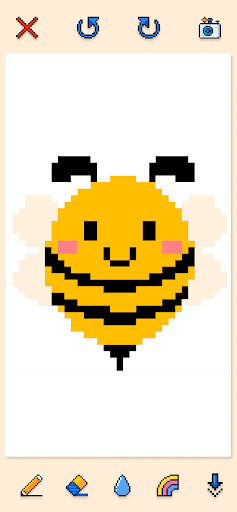
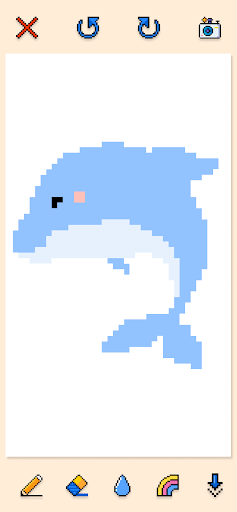
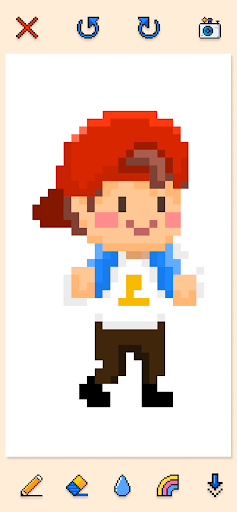
App Description
Create pixel art, NFTs & game sprites easily. Export PNGs & unleash creativity!
Draw Pixel Sprite & NFT Art 🎨 – Create Pixel Art, NFTs & Game Assets!
Welcome to Draw Pixel Sprite & NFT Art, the ultimate pixel art maker for artists, game developers, and NFT creators! Whether you're a beginner or an advanced designer, this pixel drawing app provides all the essential tools to help you create pixel-perfect artwork, 8-bit sprites, and game assets with ease. 🚀
Unleash your creativity and transform simple pixels into stunning pixelated masterpieces! 🖌️✨ Whether you're designing a game character, pixel landscapes, or NFT collectibles, this pixel editor is packed with powerful features to bring your vision to life.
---
🎨 Advanced Pixel Art Tools for Creativity
With Draw Pixel Sprite & NFT Art, you get access to a feature-rich pixel editor to create vibrant pixel drawings, game sprites, and NFT pixel art like a pro!
🛠️ Key Features:
✅ Pencil Tool ✏️ – Draw precise pixel lines and create intricate designs effortlessly.
✅ Eraser Tool 🧽 – Correct mistakes instantly and refine your pixel artwork.
✅ Fill Tool 🎨 – Quickly color large areas with just a single tap.
✅ Color Palette 🌈 – Choose from an extensive range of vibrant colors.
✅ Undo & Redo 🔄 – Experiment without worrying about losing progress.
✅ Save & Export PNGs 📁 – Store and share your pixel art creations easily.
✅ Adjustable Stroke Size ✍️ – Fine-tune pencil thickness for intricate details or broad strokes.
✅ 📸 Import & Trace Images – Upload images and convert them into pixel art by tracing over them!
✅ 🎛️ Adjustable Pixel Size & Grid – Customize the canvas size and pixel density for precision.
✅ 🔍 Zoom In & Out – Get pixel-perfect precision by zooming into detailed areas.
✅ 🔄 Mirror Symmetry Tool – Create perfectly symmetrical pixel art with ease!
---
🎮 The Perfect App for Game Developers & NFT Artists!
🎮 Game Developers – If you’re a game designer, use Draw Pixel Sprite & NFT Art as a game asset creator to make pixel sprites, backgrounds, and UI elements for your next indie or retro-style game!
💰 NFT Creators – Looking to design and sell NFT pixel art? This NFT pixel maker allows you to create and export high-resolution NFT artwork, ready for minting and selling! 🚀
---
🚀 Why Choose Draw Pixel Sprite & NFT Art?
✨ Easy-to-Use Interface – A smooth and intuitive design that’s perfect for both beginners and professionals.
🎨 Professional Pixel Editor – Create 8-bit and 16-bit pixel art effortlessly.
📱 Optimized for Phones & Tablets – Enjoy lag-free performance on all devices.
📤 Export in High-Quality PNG Format – Easily share your pixel creations on social media, gaming platforms, or NFT marketplaces.
📸 Import & Trace Images – Convert your real-world sketches into pixel masterpieces.
🖼️ Customizable Grid & Pixel Size – Set the perfect canvas dimensions for your project.
🔄 Mirror Symmetry Drawing – Achieve perfect symmetry with the mirror button.
🔍 Zoom Feature – Work on fine details with precision zooming.
---
🎯 How to Use Draw Pixel Sprite & NFT Art?
1️⃣ Select "Create" from the main menu – A new canvas will appear.
2️⃣ Import an Image (Optional) – Upload an image to trace and convert it into pixel art.
3️⃣ Start Drawing – Use the pencil, eraser, and fill tools to craft detailed pixel creations.
4️⃣ Pick Colors – Explore an extensive color palette to bring life to your art.
5️⃣ Adjust Grid & Pixel Size – Modify settings for ultimate precision in your designs.
6️⃣ Enable Mirror Mode – Use the mirror button to create symmetrical pixel art with ease.
7️⃣ Zoom for Details – Pinch to zoom in and work on fine details effortlessly.
8️⃣ Refine & Edit – Utilize undo, redo, and stroke adjustments to perfect your artwork.
9️⃣ Save & Export – Store your pixel creations in high-quality PNG format and share them!
---
📥 Download now and turn your pixel dreams into reality! 🚀🎨
---
📌Please do not hesitate to share your experience with us via clubzxae218@gmail.com🚀