Notifications for Fire TV


Notifications for Fire TV Summary
Notifications for Fire TV is a with in-app purchases Android app in Communication by dream-apps.de. Released in Oct 2014 (11 years ago). It has about 44.5K+ installs and 330 ratings with a 3.99★ (average) average. Based on AppGoblin estimates, it reaches roughly 289 monthly active users and generates around $<10K monthly revenue (100% IAP / 0% ads). Store metadata: updated Jul 10, 2025, version 500.
Recent activity: 19 installs this week (80 over 4 weeks) showing steady growth View trends →
Data tracking: SDKs and third-party integrations were last analyzed on May 12, 2026.
Store info: Last updated on Google Play on Jul 10, 2025 (version 500).
Notifications for Fire TV was last scanned for SDKs 2026-05-12. Below is the overview of third party companies detected in the app. The full list of raw SDKs, app permissions and unknown SDKs is available here.
 Kotlin
 Google
3.99★
Ratings: 330
Screenshots


App Description
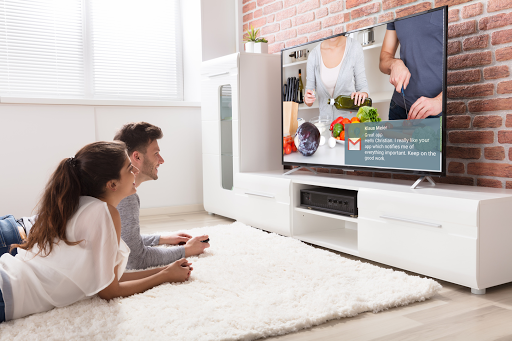
Never miss anything: Show notifications from your phone on your Amazon Fire TV
Forward notifications from your mobile device(s) immediately to your TV screen using Amazon Fire TV.
Including application logo and images contained in the notification.
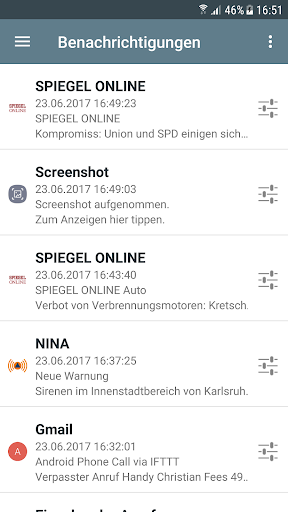
Scroll through every notified message on the Amazon Fire TV in fullscreen mode. You can change the settings individually for each application.
Best working with these apps, but unlimited to every app which displays notifications:
- Messenger apps: WhatsApp, SMS, Gmail
- News apps: Spiegel Online, SWR3
Also shows incoming and outgoing phone calls.
Important: You need to install the app 'Notifications for Fire TV' on your Amazon Fire TV or Fire TV stick:
- Go to apps and select category 'Productivity' to find it on the Fire TV, then install and start the app
or
- Open the Amazon website and search for the app 'Notifications for Fire TV', get the app, on the Fire TV choose settings, my account and synchronize. Then the app should appear within your favorite apps. Install and start the app to continue.
• Immediate forwarding of your notifications to your Amazon Fire TV or Fire TV stick
• Browse through notification details on the TV screen including application logo and notification images
• App specific settings including privacy mode