Lucid - DayDream Screensaver


Lucid - DayDream Screensaver Summary
Lucid - DayDream Screensaver is a with in-app purchases Android app in Personalization by j4velin. Released in Mar 2013 (13 years ago). It has about 495.9K+ installs and 3.4K ratings with a 3.91★ (average) average. Based on AppGoblin estimates, it reaches roughly 770 monthly active users and generates around $<10K monthly revenue (100% IAP / 0% ads). Store metadata: updated Aug 2, 2020.
Recent activity: 61 installs this week (253 over 4 weeks) showing steady growth , and 1.00 new ratings this week View trends →
Store info: Last updated on Google Play on Aug 2, 2020 .
3.91★
Ratings: 3.4K
Screenshots


App Description
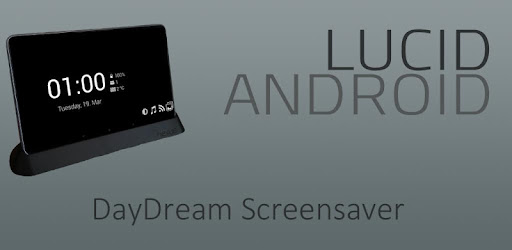
Lucid is the ultimate daydream screensaver app for your Android device!
On the free version, the modules will stop after 30 mins of continuous usage!
Full version is available through an in-app purchase for only 0.99 EUR / 1.49 USD
Lucid automatically starts when you put your device in the dock or when you charge it. The app is very customizable and comes with a lot of functionallity, like:
Clock: Show the current time & date and can also show...
... battery level
... weather
... unread GMails
... new SMS texts
... missed calls
... next alarm
... many more information from most DashClock extensions
RSS view: flips through new events from your RSS feeds
Slideshow view: start a slideshow with images from your device
On Android 4.2+ you need to enable the "DayDream" in the Android display settings to use & configure the app! Note that the system won't start the daydream if you're display is kept awake! Make sure to disable the "Keep awake while charging" option in the Android developer settings (if you have enabled that before). On Samsung devices, make sure to disable the "keep display on while eye contact is detected" option (or how they call that)
You can use the identifiers here http://developer.android.com/reference/java/text/SimpleDateFormat.html to change the time and date format
-------------------
Permissions:
This app uses the Device Administrator permission. The app has a feature to automatically lock the device, when the daydream starts. It asks for "device administrator" permission, if you want to use this feature.
ACCESS_COARSE_LOCATION - show weather information
ACCESS_NETWORK_STATE & INTERNET - downloading RSS feed/weather/slideshow images
CAMERA - turn camera flashlight on
GET_ACCOUNTS & USE_CREDENTIALS - load RSS feeds from Google account
READ_CALENDAR - display upcoming events
READ_CALL_LOG & READ_CONTACTS & READ_PHONE_STATE - show number of missed calls
READ_EXTERNAL_STORAGE - load custom fonts
READ_SMS & RECEIVE_SMS - display unread SMS count
WRITE_EXTERNAL_STORAGE - cache RSS feeds