Office Documents Viewer


Office Documents Viewer Summary
Office Documents Viewer is a ad-supported, with in-app purchases Android app in Business by Joerg Jahnke. Released in Apr 2011 (15 years ago). It has about 4.6M+ installs and 26K ratings with a 4.22★ (good) average. Based on AppGoblin estimates, it reaches roughly 3.8K monthly active users and generates around $<10K monthly revenue (25% IAP / 75% ads). Store metadata: updated Mar 21, 2026, version 273.
Recent activity: 21 installs this week (199 over 4 weeks) showing declining growth , and -9 new ratings this week View trends →
Data tracking: SDKs and third-party integrations were last analyzed on Mar 19, 2026.
Store info: Last updated on Google Play on Mar 21, 2026 (version 273).
Office Documents Viewer was last scanned for SDKs 2026-03-19. Below is the overview of third party companies detected in the app. The full list of raw SDKs, app permissions and unknown SDKs is available here.
 AdMob
AdMob Google
4.22★
Ratings: 26K
Screenshots

App Description
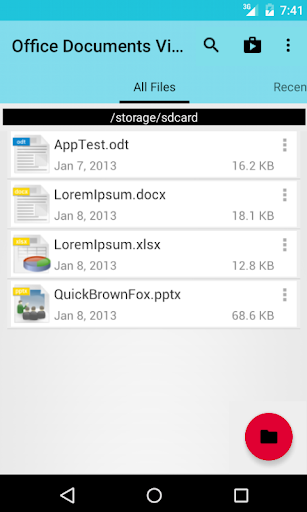
OpenOffice / LibreOffice (ODF) and MS Office (OOXML) document viewing app
(formerly Mobile Document Viewer)
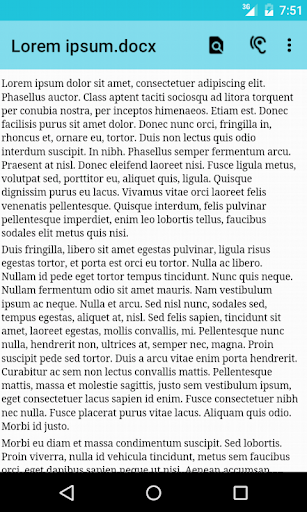
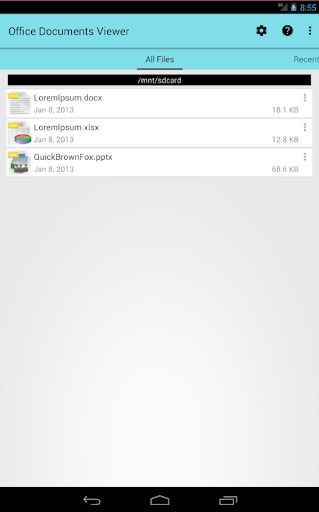
Small and fast document viewing application for Open Document Format (OpenOffice, LibreOffice), OOXML (Microsoft Office) and other productivity document formats. It allows opening office productivity application documents, like text files, spreadsheets or presentations, located in the filesystem, e.g. on sd card, as well downloaded documents, files on Dropbox, Box, or documents files attached to an email.
Additional features:
- zooming in and out of documents
- searching inside documents
- finding documents containing given words via a full text search across all text documents
- copying text from documents
- reading text documents (.odt, .sxw, .docx, .doc) aloud via Android's text-to-speech functionality
- printing documents via Google Cloud Print
- day/night mode (requires Android 4.0 or higher)
The following file formats are currently supported:
- OpenOffice 2.x, 3.x, 4.x and LibreOffice Open Document formats: .odt (Writer), .ods (Calc), .odp (Impress)
- OpenOffice 1.x formats: .sxw (Writer), .sxc (Calc) (no support for embedded images)
- Microsoft Office 2007 formats: .docx (Word), .xlsx (Excel), .pptx (Powerpoint)
- Microsoft Office 97 formats: .doc (Word, plain text extraction only), .xls (Excel, experimental, only plain cell values)
- PDF (experimenal on Android 4.4 and lower, needs to be activated in the app settings)
- ePub books
- Other formats: RTF, HTML, .txt (plain text), .csv (comma-separated values), .tsv (tab-separated values)
Please note that some restrictions apply for viewing documents:
- Displaying the documents is done via a conversion to HTML, which is why the document will look differently than if viewed with a desktop office productivity application
- Large spreadsheet documents may take some time to open, or sometimes not open at all
- When displaying images, only those images will be shown where the image format is supported by the Android browser
- Password-protected Microsoft Office docs cannot be opened
If you would like to see the app translated into a new language and would volunteer for such a translation, then please contact me.
Ad-supported version. Permissions required for displaying the ads. All ads can be disabled via an in-app purchase.
If you are smart and you like this app, please rate it. If you are smart and don't like it, please send me an ema