Lock Screen Notes


Lock Screen Notes Summary
Lock Screen Notes is a mobile Android app in Productivity by Nils Fo. Released in Feb 2017 (9 years ago). It has about 56.3K+ installs and 284 ratings with a 3.88★ (average) average. Based on AppGoblin estimates, it reaches roughly 2.8K monthly active users . Store metadata: updated Jan 2, 2023.
Recent activity: 1.8K installs this week (3.1K over 4 weeks) showing exceptional growth View trends →
Store info: Last updated on Google Play on Jan 2, 2023 .
3.88★
Ratings: 284
Screenshots



App Description
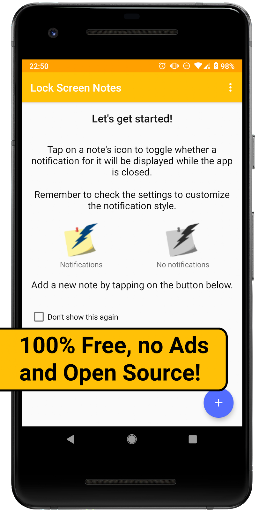
Create notes that are automatically displayed in the device's lock screen.
With this app you can easily create notes that stick around for later!
Designed for you to be able to create and manage notes quickly without many interruptions. Notes are supposed to be small and not kept for very long as they are supposed to be used for reflections and 'keep for later' ideas, like grocery lists or anything that you need to be reminded of instantly.
Optimized to be quick and efficient so that you can write down your ideas and notes in less that 2 seconds and only one tap of a button!
Once created, a note will stick around and be instantly displayed on your lock screen as a notification.
Notes and the ways they are displayed are highly customization. You can decide if they are grouped together and displayed as a single notification or separate. You can also set if they are always displayed prominently or more subtle. (depends on the type of device).
This App is free and without any ads or tracking! This will not change in the future! Besides that, it is open source and the source code is publicly available on GitHub:
https://github.com/NilsFo/LockScreenNotes
Permissions explained:
-Run on startup: To display the notifications once you restart the device
-External storage: To read / write backups