QR Scanner

QR Scanner Summary
QR Scanner is a with in-app purchases Android app in Tools by 2kit consulting. Released in Aug 2020 (5 years ago). It has about 488.3K+ installs and 17.2K ratings with a 4.23★ (good) average. Based on AppGoblin estimates, it reaches roughly 7.4K monthly active users and generates around $<10K monthly revenue (100% IAP / 0% ads). Store metadata: updated May 21, 2026.
Recent activity: 523 installs this week (2.7K over 4 weeks) showing steady growth , and 5.00 new ratings this week View trends →
Store info: Last updated on Google Play on May 21, 2026 .
4.23★
Ratings: 17.2K
Screenshots


App Description
Scan documents to PDF and read QR Codes with this all in one scanner app
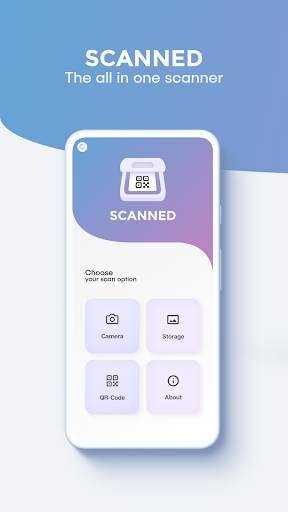
Switching between two apps to scan QR codes and documents? No need anymore! Just use the QR Scanner to do both with just one app.
Scan documents and save them as image or PDF files or scan QR codes with this 2 in 1 scanner app.
Someone sent you a QR Code to your phone as a picture? No problem! Use the QR code reader included in the 2 in 1 document and QR code scanner app for codes in your phone’s storage.
*******************
APP FEATURES:
*******************
QR Code Scanner:
✓ Scan QR codes saved in your gallery
✓ Supports many different QR code types (for example URL, Wi-Fi, MailTo, etc.)
✓ Scan by just holding your camera in front of the QR code without the need to press any buttons
✓ Scan barcodes and search for the product on the Internet
Document Scanner:
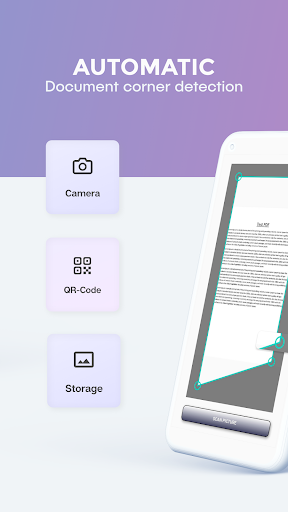
✓ Automatic edge detection
✓ Magnify your touches while manually cropping the image
✓ Scan to PNG
✓ Scan to PDF
✓ Scan multiple pages at once as a multi page PDF or separate image files
✓ Scan with the camera or from phone storage
✓ Different filter options
✓ Share your files via e-mail or social media services
Required Permissions:
• Contacts: write contact after scanning a corresponding QR code
• Location: necessary to connect to a local Wi-Fi network after scanning a corresponding QR code
• Photos/Media/Files: read pictures from storage to scan them and save scanned documents
• Storage: read pictures from storage to scan them and save scanned documents
• Camera: scan documents and QR codes and barcodes
• Wi-Fi and network: to connect to a Wi-Fi network after scanning a corresponding QR code
Download now and upgrade your phone with the functionality of two apps for the storage space of one!
For support or feedback, please contact us via e-mail at info@qr-scanner.app
This app is brought to you by the developers of VIDEO & TV CAST, the #1 video casting app in the world with more than 100.000.000 downloads across all platforms and devices.