Mobile to PC File Transfer


Mobile to PC File Transfer Summary
Mobile to PC File Transfer is a ad-supported, with in-app purchases Android app in Tools by Deskshare Inc. Released in May 2016 (10 years ago). It has about 2.6M+ installs and 4.4K ratings with a 3.54★ (average) average. Based on AppGoblin estimates, it reaches roughly 41.1K monthly active users and generates around $<10K monthly revenue (45% IAP / 55% ads). Store metadata: updated Jan 26, 2025.
Recent activity: 2.1K installs this week (10.2K over 4 weeks) showing steady growth View trends →
Data tracking: SDKs and third-party integrations were last analyzed on Apr 16, 2025.
Store info: Last updated on Google Play on Jan 26, 2025 .
3.54★
Ratings: 4.4K
Screenshots
App Description
Transfer files between your android device and PC without cables
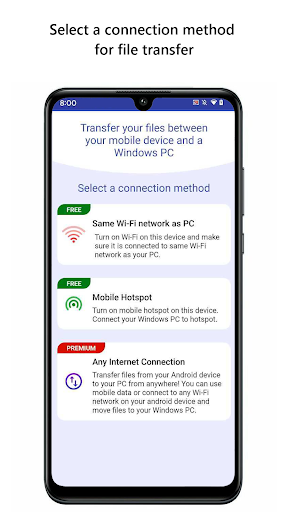
PC to Mobile Transfer allows you to transfer files between your Android device and a Windows PC using Wi-Fi, mobile hotspot or mobile network.
This is the simplest and most reliable solution for transferring files between your Windows PC and a group of mobile devices.
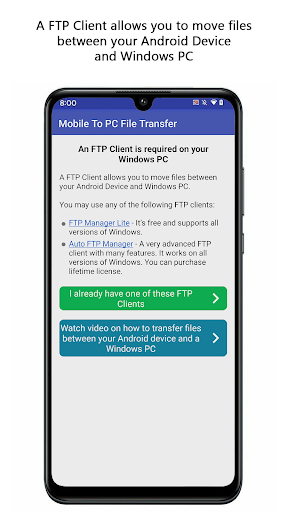
PC To Mobile Transfer works with Windows PC software - FTP Manager Pro.
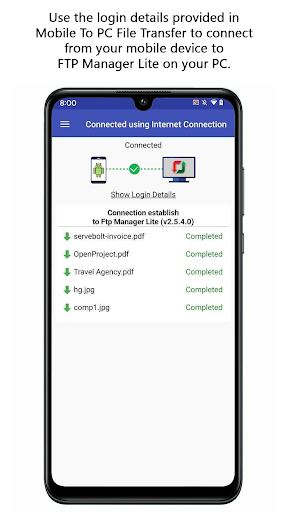
If you are using a Wi-Fi network, please make sure your mobile device and PC are on the same network. If you are outside your local Wi-Fi network, use mobile data for file transfer. The speed of file transfer between your mobile device and PC is dependent on your internet speed.
Watch the video tutorial to see how easy it is to set up.
Key Features:-
• Access all data stored on Phone, tablet or SD card.
• You can create, move and delete the files from your Windows PC.
• No USB cable is required to transfer files.
• Transfer Photos, videos, music, and any other files.
• Create multiple connection profiles for file transfer.
• Set password to prevent anyone from randomly accessing your connection profile.
• Autostarts the application on device reboot.
If you need help with PC To Mobile Transfer, please refer to our support forum.
To best use PC to Mobile Transfer, we ask the following user permissions:
For Android 10 and below-
• Write Internal Storage(Required): To send and store files that are in internal storage.
For Android 11-
• All Files Access (Required): To access storage and find the files you want to transfer, as well as store any files you receive.
LIKE US and STAY CONNECTED
Facebook: https://www.facebook.com/Deskshare-1590403157932074
Deskshare: https://www.deskshare.com
Contact Us: https://www.deskshare.com/contact_tech.aspx