DeskTime Mobile Time Tracker

DeskTime Mobile Time Tracker Summary
DeskTime Mobile Time Tracker is a mobile Android app in Productivity by DeskTime LLC. Released in Aug 2011 (14 years ago). It has about 37.5K+ installs and 166 ratings with a 2.79★ (poor) average. Based on AppGoblin estimates, it reaches roughly 2.7K monthly active users . Store metadata: updated Aug 26, 2025.
Recent activity: 845 installs this week (2K over 4 weeks) showing exceptional growth , and -1 new ratings this week View trends →
Store info: Last updated on Google Play on Aug 26, 2025 .
2.79★
Ratings: 166
Screenshots
App Description
DeskTime is a fully automatic mobile time tracker app that boosts productivity.
DeskTime is a fully automatic time tracker and team management software that has proven to boost employee productivity by 30% within the first weeks of using it. See how you and your employees spend their time online and offline, track time by projects, and automatically calculate their costs based on workers' hourly rates. Additionally, generate custom reports for in-house use or your customers, plan employee vacations and time offs, calculate overtime pay, and store your team member's contact information in one place.
What are the main features of the DeskTime Android app?
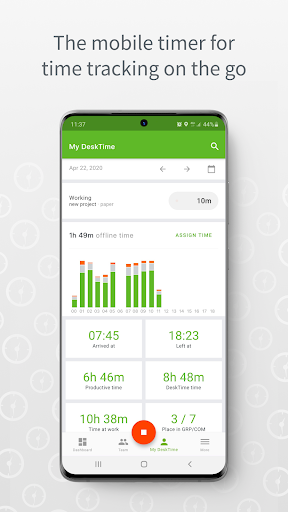
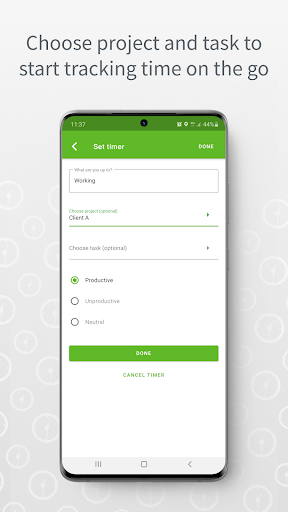
• Mobile timer – open the time tracker app, tap the green play button at the bottom, indicate the project or task you'll be working on, and tap “Start timer.”
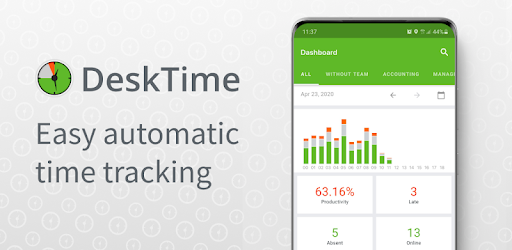
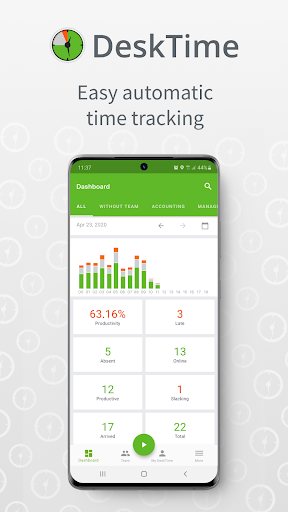
• See who's working, slacking, late, or absent in real-time – DeskTime's time tracker lets you remotely see the status of your team every day.
• Check your team's performance – the time tracker app will show you which projects or programs your team members are working on.
• Assign idle time gaps – if you have to complete a task away from your computer, the time tracker lets you note what was done during those hours.
• Generate reports – after you've completed a task, you can retrieve the report straight from the app.
• View your profile – check in on your daily productivity stats at any time.
• View and change your settings – if you need to update your DeskTime time tracker's settings, you can easily do it via the app.
Let us know what you think, send feedback and questions to support@desktime.com
Learn more about DeskTime: desktime.com/features