Remote compatible Livebox

Remote compatible Livebox Summary
Remote compatible Livebox is a ad-supported, with in-app purchases Android app in Tools by NiamorDev. Released in Nov 2015 (10 years ago). It has about 2.2M+ installs and 11.1K ratings with a 3.24★ (mixed) average. Based on AppGoblin estimates, it reaches roughly 25.6K monthly active users and generates around $10K+ monthly revenue (73% IAP / 27% ads). Store metadata: updated Dec 23, 2025.
Recent activity: 925 installs this week (91.1K over 4 weeks) showing exceptional growth View trends →
Data tracking: SDKs and third-party integrations were last analyzed on Apr 18, 2026. The app's network data flows (API traffic to/from the app and its SDKs) were last crawled on Feb 1, 2026.
Store info: Last updated on Google Play on Dec 23, 2025 .
Remote compatible Livebox was last scanned for SDKs 2026-04-18. Below is the overview of third party companies detected in the app. The full list of raw SDKs, app permissions and unknown SDKs is available here.
 Unity
Unity Fyber
Fyber AdMob
AdMob AppLovin
 Kotlin
 Square
 Airbnb Engineering
 Prebid
 Amazon Advertisement
 Google
 Firebase
 Keepsafe
3.24★
Ratings: 11.1K
Screenshots


App Description
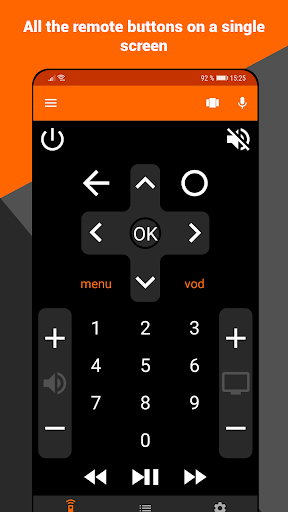
Orange TV remote control. Simple, convenient and complete!
This is not an official Orange app.
Seems not to be compatible with Orange in Poland.
Pilot your Livebox TV from phone. This Livebox remote control is simple, complete and ergonomic.
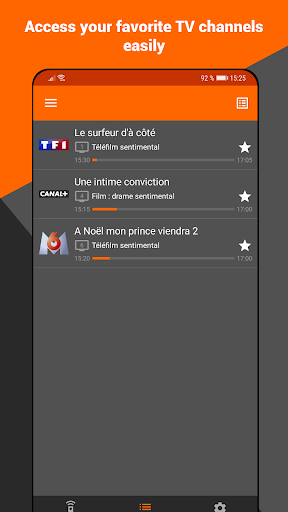
The app finds your Livebox TV on your Wi-Fi network. This can be done automatically at app start or manually from the settings screen.
If for any reason, the scan does not work, you can enter your Livebox TV ip address.
Your phone must be connected to your Livebox's Wi-Fi network.
You can now control your Livebox TV from anywhere in your home.
Tips: if automatic search does not work, go to the settings screen, click on "SCAN" then select your Livebox TV device. If it does not appear in the list, try to reboot your Livebox and try again.
If it still does not work, you can enter the ip address manually in the settings of the app. You will find it in your administrator interface, "my network" page, "connected devices" TV box icon.