Digital Clock LWP & AOD

Digital Clock LWP & AOD Summary
Digital Clock LWP & AOD is a ad-supported, with in-app purchases Android app in Personalization by spapptech. Released in May 2022 (4 years ago). It has about 182.1K+ installs and 872 ratings with a 4.13★ (good) average. Based on AppGoblin estimates, it reaches roughly 4.5K monthly active users and generates around $<10K monthly revenue (61% IAP / 39% ads). Store metadata: updated Mar 6, 2026.
Recent activity: 1.7K installs this week (6.2K over 4 weeks) showing below average growth , and 1.00 new ratings this week View trends →
Advertising: AppGoblin detected 1.00 monetized ad creatives shown inside the app.
Data tracking: SDKs and third-party integrations were last analyzed on Apr 14, 2026. The app's network data flows (API traffic to/from the app and its SDKs) were last crawled on Nov 16, 2025.
Store info: Last updated on Google Play on Mar 6, 2026 .
SDKs, Trackers & Permissions
Digital Clock LWP & AOD was last scanned for SDKs 2026-04-14. Below is the overview of third party companies detected in the app. The full list of raw SDKs, app permissions and unknown SDKs is available here.
AppGoblin saw Digital Clock LWP & AOD uses 1 Analytics: Product
 Firebase
AppGoblin saw Digital Clock LWP & AOD uses 3 Ad Networks
 Google
 Facebook
 AppLovin
AppGoblin saw Digital Clock LWP & AOD uses 4 Development Tools
 Airbnb Engineering
 Bumptech
 Square
AppGoblin saw Digital Clock LWP & AOD uses 1 Mediation
 AdMob
AdMobApp Details
App Store
Ads & App-Ads.txt
AppGoblin SDK Scans
4.13★
Ratings: 872
Screenshots


App Description
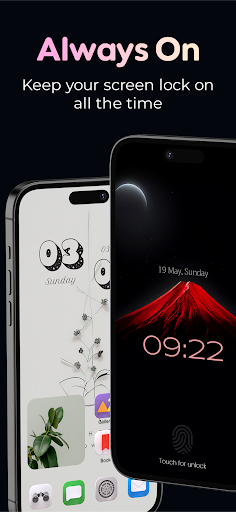
Customize the digital clock wallpaper as desired and set it as AOD wallpaper
You can customize and create a digital clock live wallpaper for your phone's screen via Digital Clock LWP & AOD app. The digital clock LWP application also gives the amazing collection of LED style digital clock Live Wallpaper and set it as home screen, home screen, and lock screen wallpaper.
Easy to customize the Digital Clock Live Wallpaper and create your own new digital clock wallpaper. The application gives the different customization options like selecting the clock, font style, font colors, set position of the clock & emoji, and select background from the collection as well as from the phone's gallery.
Set your photo as the background of the digital clock Live Wallpaper and give an outstanding look to your phone's screen.
What's all included in Digital Clock LWP & AOD?
You get a wallpaper clock and AOD (Always on Display) clock option to set as wallpaper. In this option, you get a digital clock and emoji clock option with a huge amazing digital clock live wallpaper collection to set on the phone's screen. Easy to edit them or create your own Digital Clock LWP and Always On Display clock wallpaper. All the created LED style digital clock live wallpaper will be saved in MY Creation.
Using this Digital Clock LWP & AOD wallpaper app, you will get the time and date for you on your mobile home screen, and no need to on the phone and check it.
Settings:
- You can enable it to show battery percentage.
- Enable the 24-hour format.
- Can set vibration at Always ON Screen.
- Exit the AOD screen with a single tap, double tap, swipe up, swipe down and shake.
- Adjust AOD brightness.
- Set exit timing of the AOD screen.
- You can set the AOD screen rules as per the battery percentage.
- Enable the home button to exit from AOD.
- You can enable the AOD screen with the volume button.