Draw Anime - AR Tracing App


Draw Anime - AR Tracing App Summary
Draw Anime - AR Tracing App is a ad-supported Android app in Art And Design by AI Photo Simple. Released in Jan 2026 (5 months ago). It has about 402.4K+ installs and 1.8K ratings with a 4.66★ (excellent) average. Based on AppGoblin estimates, it reaches roughly 61.3K monthly active users and generates around $<10K monthly revenue (0% IAP / 100% ads). Store metadata: updated Apr 15, 2026, version 6.
Recent activity: 6.7K installs this week (40.4K over 4 weeks) showing below average growth , and 63 new ratings this week View trends →
Data tracking: SDKs and third-party integrations were last analyzed on Jun 5, 2026. The app's network data flows (API traffic to/from the app and its SDKs) were last crawled on Mar 23, 2026.
Store info: Last updated on Google Play on Apr 15, 2026 (version 6).
SDKs, Trackers & Permissions
Draw Anime - AR Tracing App was last scanned for SDKs 2026-06-05. Below is the overview of third party companies detected in the app. The full list of raw SDKs, app permissions and unknown SDKs is available here.
AppGoblin saw Draw Anime - AR Tracing App uses 4 Development Tools
 Kotlin
 Bumptech
 Google
 Square
AppGoblin saw Draw Anime - AR Tracing App uses 1 Analytics: Product
 Firebase
AppGoblin saw Draw Anime - AR Tracing App uses 5 Ad Networks
 Pangle
 Facebook
 VK
VKAppGoblin saw Draw Anime - AR Tracing App uses 1 Business Tools
AppGoblin saw Draw Anime - AR Tracing App uses 1 Analytics: Attribution
 Adjust
AppGoblin saw Draw Anime - AR Tracing App uses 1 Mediation
 AdMob
AdMobApp Details
App Store
Ads & App-Ads.txt
AppGoblin SDK Scans
4.66★
Ratings: 1.8K
Screenshots


App Description
Simple AR drawing app to draw anime, sketch, trace, and paint art faster now
🎊 Welcome to AR Drawing – Sketch & Trace App!
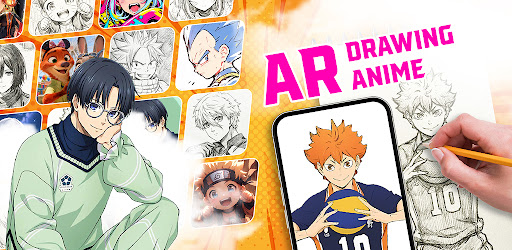
This drawing app helps you create beautiful artwork in a fun and easy way using AR technology. You can draw anime, cartoons, and many other styles by tracing images directly on paper. Even if you are new to drawing, this app makes everything feel simple and friendly.
💓 Draw Easily and Enjoy the Process
With clear tools and an easy layout, this AR sketching app helps you draw without stress. You don’t need special skills to start. Just follow the steps, practice a little every day, and enjoy watching your drawings improve over time. It’s great for beginners, students, and anyone who loves art.
💥 Create, Share, and Get Ideas
This sketch & draw app is also a place to feel inspired. Save your drawings, share them with friends, and explore many creative styles. Seeing other artworks can help you get new ideas and feel more confident while drawing.
🎀 How to Use the AR Drawing App
1. Pick a drawing template from a large library of anime, manga, and cartoon images.
2. Place your phone above your paper or drawing surface.
3. Turn on AR tracing mode to display the image on your paper.
4. Slowly trace the lines using a pencil or pen.
5. Add colors, shadows, and details to complete your artwork.
6. Save your finished drawing or share it with others.
💯 Key Features
🌟 AR Sketch Mode – Project images onto your paper and trace them easily with adjustable transparency.
🧪 Useful Drawing Tools – Import your own pictures, control opacity, use flashlight support, record your drawing process, and reset with one tap.
🏫 Easy Drawing Lessons – Simple step-by-step tutorials designed for beginners and casual artists.
🏆 My Sketch Gallery – Keep all your drawings in one place, track your progress, and share your favorite art.
🎉 Why You’ll Love This AR Sketching App
🔥 Smooth and clear AR tracing that makes drawing easier
🔥 Perfect for beginners and anyone who wants simple guidance
🔥 Draw, trace, and color in one easy-to-use app
🔥 Lightweight and fast performance
🔥 New drawing templates added regularly
👑 AR Drawing – Sketch & Trace Tool is a helpful app for learning and practicing drawing on paper. From anime and cartoons to simple sketches, this app supports your creativity step by step.
Start tracing and sketching today, and turn your ideas into real artwork