SPC Easy Mode

SPC Easy Mode Summary
SPC Easy Mode is a mobile Android app in Tools by Smart Products Connection S.A.. Released in May 2025 (1 year ago). It has about 6.2K+ installs Based on AppGoblin estimates, it reaches roughly 608 monthly active users . Store metadata: updated Mar 17, 2026.
Recent activity: 132 installs this week (503 over 4 weeks) showing steady growth View trends →
Store info: Last updated on Google Play on Mar 17, 2026 .
0★
Ratings: 0
Screenshots

App Description
SPC Easy Mode simplifies the Android interface on devices for the elderly by SPC
SPC Easy Mode is the application specifically designed to adapt the Android interface of your loved one's SPC devices to their needs. With this app, you can change a device's usual Android interface and select Easy Mode, a simplified menu adapted for older adults or those with impaired vision or psychomotor skills.
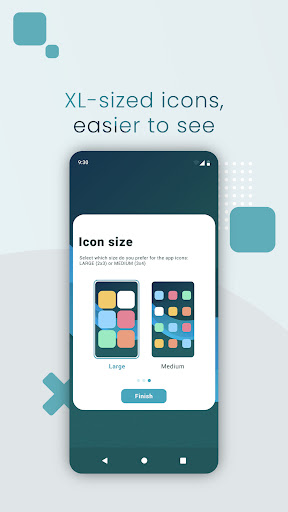
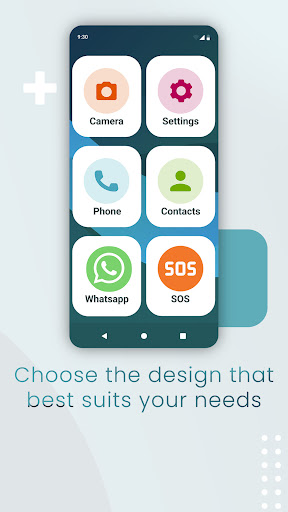
- Larger, more visual apps: Easy Mode adapts the way the icons of downloaded apps are displayed, turning them into larger, more colourful icons that are easily identifiable and simpler to use. This mode allows you to select the size of the new app icons and how you want them to be arranged on the screen.
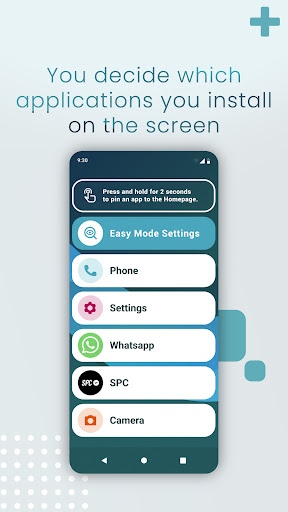
- Choose which apps you want to see: You can choose which apps you want to display on the screen by swiping up and selecting from the apps listed.
- Customise the font size: You can also easily customise the font size and adjust it to your taste and/or needs.
- Access favourite contacts: With Easy Mode, you'll have access to your most frequent favourite contacts so you can make calls more easily and quickly, without having to go into your contact list and without fear of making a mistake and calling someone else.
- Direct access to the most common settings: Swipe the screen up to access the Easy Mode Settings, a shortcut button to the device's main settings so that you can configure some basic parameters in a single touch – things like modifying the icon size, managing notifications, locking the screen, managing the volume, going into to system settings, switching from Easy Mode to Android Mode, and linking the device with the SPC Care remote management app installed on the smartphone of a family member or caregiver.