GZ & XZ Extract - File Opener


GZ & XZ Extract - File Opener Summary
GZ & XZ Extract - File Opener is a ad-supported Android app in Tools by Evansir. Released in Sep 2019 (6 years ago). It has about 213.7K+ installs and 721 ratings with a 3.56★ (average) average. Based on AppGoblin estimates, it reaches roughly 27K monthly active users and generates around $<10K monthly revenue (0% IAP / 100% ads). Store metadata: updated Mar 18, 2026.
Recent activity: 728 installs this week (3K over 4 weeks) showing steady growth , and 2.00 new ratings this week View trends →
Store info: Last updated on Google Play on Mar 18, 2026 .
3.56★
Ratings: 721
Screenshots


App Description
Archive extraction tool for all popular unix files: tar, gz, gz2, xz and other
Extract tar, tar.gz, gz, gz2 and xz easily! Extractor tool that will open Unix type archives in few taps. Just choose gz or xz archive file and extractor will do all other for you. All are fully automotive, no need for long and hard step by step extract process.
GZ and XZ Extractor main features:
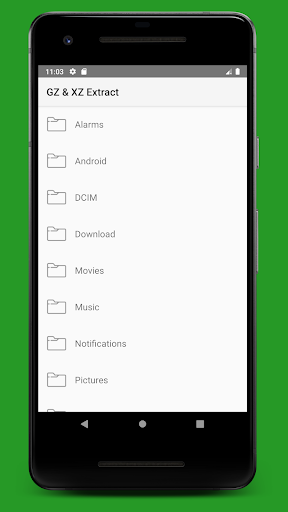
- Intuitive interface
- Highlight gz, gz2, tar, dmg, tar.gz and xz archives
- Open extracted files with any pre-installed app
- Unzip tar, tar.gz, gz, gz2 and xz files
- File explorer included
GZ and XZ Extractor do not have tools to open extracted files! It uses preinstalled apps on your smartphone!
Many are faced with a situation where it is urgently necessary to unzip the xz, tar, tar.gz, gz2, bz2 or gz files. Although this may seem like a daunting task at first glance, in reality, it is done in just a few simple steps. GZ & XZ Extract will help you quickly and easily get your files from the archive.
If you guessing what GZ means - its standard extension for files compressed by GNU zip and mostly used by Unix systems. XZ in same time is an extension for archives what uses XZ algorithm for compression, it is very efficient for large files and is commonly used to distribute Slackware Linux package distributions.
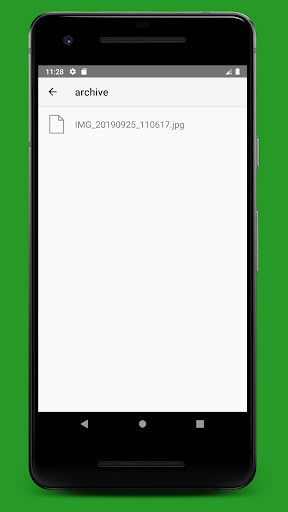
GZ & XZ Extract will help you to unzip tar, tar.gz, gz, gz2 and xz files. All files from the archive will be placed in GZ XZ Extractor folder and will be accessible from any installed file explorer on your smartphone.
Found some useful tool archived as mac os application image? Use DMG Extractor to unpack it and look inside. Just tap on dmg archive and choose preferred extraction folder
Supported archive formats:
xz, gz, tar, gz2, dmg, zip, 7z, iso, bz2
If you have any suggestions on how to improve GZ & XZ Extract, feel free to contact me via e-mail.