Flash Alerts: Calls & Messages


Flash Alerts: Calls & Messages Summary
Flash Alerts: Calls & Messages is a free, ad-supported Android app in Communication by Appsbuyout. Released in Sep 2020 (6 years ago). It has about 5.8M+ installs and 14K ratings with a 4.64★ (excellent) average. Based on AppGoblin estimates, it reaches roughly 477K monthly active users and generates around $10K+ monthly revenue (0% IAP / 100% ads). Store last updated Sep 8, 2026
Recent activity: 3.1K installs this week (12K over 4 weeks) showing declining growth , and 26 new ratings this week View trends →
SDK intelligence: AppGoblin detected 10 development tools(e.g. Google), 5 ad networks, 2 mediation,and 1 analytics: product integrated into Flash Alerts: Calls & Messages. View full SDK list →
Data tracking: The app's network data flows (API traffic to/from the app and its SDKs) were last crawled on Sep 17, 2026.
Flash Alerts: Calls & Messages SDKs Summary
Flash Alerts: Calls & Messages was last scanned for SDKs on 2026-07-20. Below is the overview of third-party companies detected in the app. The full list of SDKs, permissions and unknowns is available here.
 Google
 Facebook
 AppLovin
 Vungle
 Square
 Airbnb Engineering
 Kotlin
 AdMob
AdMob Firebase
4.64★
Ratings: 14K
Screenshots


App Description
Flashlight blinks with call screening to alert you of phone calls, SMS, and more
Get instantly alerted by light when people are trying to contact you with Flash Alerts - For calls, messages & app notifications.
Flash Alerts is a dedicated call-screening app that identifies calls in real-time, and notifies you of incoming calls, messages, and notifications with your phone's flashlight.
If you need a visual light aid when you cannot hear your phone or need to keep it on silent mode, the notifications flash will alert you each time you receive an incoming call, a text message, or app notifications.
After each phone call, you will see a useful call information screen where you will be able to instantly adjust your flash alert notifications for future use.
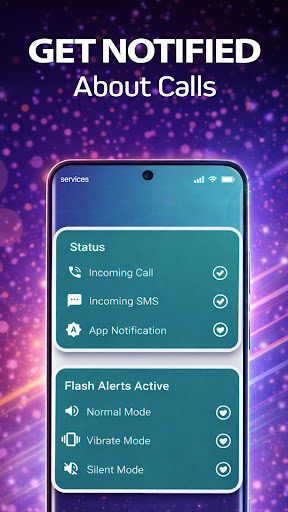
You can choose which of these notifications is turned on or off. This means that you can choose to just have a ringing flashlight for incoming calls, or you can select to have any combination of LED flashlight notifications for calls, incoming SMS messages, and app notifications.
The customizable incoming call flash light notifications enable you to choose how long the LED flash for alerts is on and off, each time it flashes. You can also select how many times it flashes for SMS text messages.
You can choose to have Flash Alerts active when the phone is in normal mode, silent mode, vibration mode, or any combination of all three.
The ‘Flash Free Locations’ feature allows you to select specific locations to pause flash alerts. This could for example be at your workplace, at school, or in a theatre or cinema.
There is also a ‘do not disturb’ mode in which you can select a period of time when you do not want the flash to alert you. This means you can always leave Flash Alert activated and don’t need to remember to keep turning it on and off.
Flash Alert Features:
✔ Identify incoming calls in real time.
✔ Choose to be alerted of incoming calls, text messages and app notifications with the LED flashlight.
✔ Customize the length of each flash.
✔ Select the number of flashes for incoming SMS.
✔ Activate flash alerts for Normal, silent, and vibrate modes on your phone.
✔ Pause Flash Alerts in locations of your choice.
✔ ‘Do not disturb’ mode.
✔ Choose to have flash alerts on or off when the phone screen is on.