Phone Battery Complication

Phone Battery Complication Summary
Phone Battery Complication is a ad-supported Android app in Personalization by thema. Released in Jun 2025 (9 months ago). It has about 28.8K+ installs and 314 ratings with a 4.35★ (good) average. Based on AppGoblin estimates, it reaches roughly 2.3K monthly active users and generates around $<10K monthly revenue (0% IAP / 100% ads). Store metadata: updated Mar 11, 2026.
Recent activity: 1.4K installs this week (3.7K over 4 weeks) showing declining growth , and 15 new ratings this week View trends →
Store info: Last updated on Google Play on Mar 11, 2026 .
4.35★
Ratings: 314
Screenshots

App Description
Displays your phone battery level on your favorite watchface
Phone Battery Complication for Wear OS!
★ Features of Phone Battery Complication ★
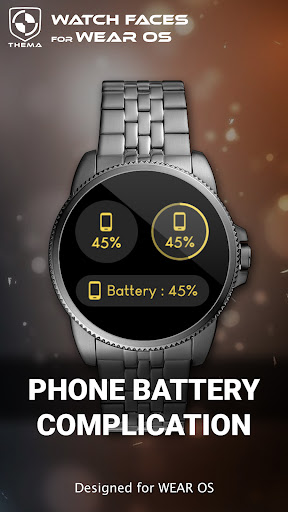
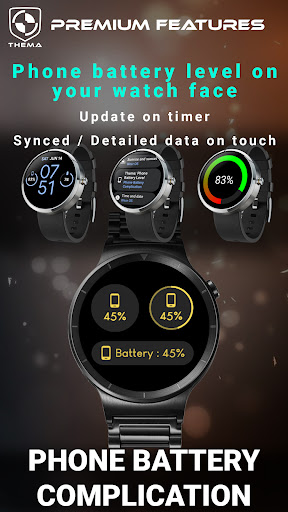
This application provides phone battery level information to Wear OS watches. You will be able to display this information on any wear os watch face. Just pick the data for the complication of your watch face.
NB: The battery level is synced every 10 minutes. As a result, there might be a slight difference between your phone battery and the level displayed on the complication.
Use settings to show the percent symbol or not, to match your favorite watchface design.
(does not apply on dedicated battery areas of Thema's watchfaces, design is already applied by area)
You can also tap the complication to display a full screen indicator, and force the sync immediately.
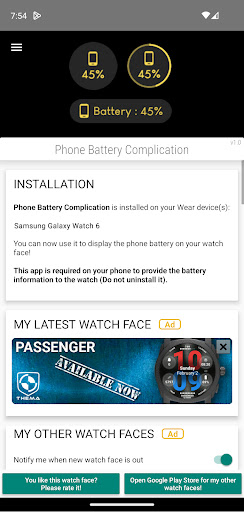
The phone app is required to send the data to the wear os device. The app can not work without it.
Also check that there is no battery restrictions applied by your phone on the application.
★ Installation ★
🔸Wear OS 2.X / 3.X / 4.X
A notification will be displayed on your watch, right after your mobile installation. You just have to hit it to start the installation process of the complication app.
If the notification did not display for some reason, you can still install the complication app by using the Google Play Store available on your watch: just search the complication app by its name.
🔸Wear OS 6.X
Install the complication app directly from your watch or phone play store. You can pick and display the phone battery data on your favorite watch face.
★ More watch faces ★
Visit my watch faces collection for Wear OS on the Play Store at https://goo.gl/CRzXbS
** If you have any issues or questions, feel free to contact me by email (English or French language) before giving a bad rating. Thanks!
Website: https://www.themaapps.com
Youtube: https://youtube.com/ThomasHemetri
Twitter: https://x.com/ThomasHemetri
Instagram: https://www.instagram.com/thema_watchfaces