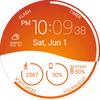

Morphing Watch Face
ASO Keyword Dashboard
Tracking 79 keywords for Morphing Watch Face in Google Play
Morphing Watch Face tracks 79 keywords (no keywords rank yet; 79 need traction). Key metrics: opportunity 70.0, difficulty 52.1.
Animated Interactive watch face with morphing animation and high customisation
Tracked keywords
79
0 ranked • 79 not ranking yet
Top 10 coverage
—
Best rank — • Latest leader —
Avg opportunity
70.0
Top keyword: animation
Avg difficulty
52.1
Lower scores indicate easier wins
Opportunity leaders
- 63.7
animation
Opportunity: 75.0 • Difficulty: 44.9 • Rank —
Competitors: 816
- 63.6
french
Opportunity: 74.0 • Difficulty: 41.5 • Rank —
Competitors: 494
- 66.2
preview
Opportunity: 74.0 • Difficulty: 59.4 • Rank —
Competitors: 908
- 62.7
bad
Opportunity: 74.0 • Difficulty: 58.9 • Rank —
Competitors: 709
- 61.2
gear
Opportunity: 74.0 • Difficulty: 47.4 • Rank —
Competitors: 712
Unranked opportunities
animation
Opportunity: 75.0 • Difficulty: 44.9 • Competitors: 816
french
Opportunity: 74.0 • Difficulty: 41.5 • Competitors: 494
preview
Opportunity: 74.0 • Difficulty: 59.4 • Competitors: 908
bad
Opportunity: 74.0 • Difficulty: 58.9 • Competitors: 709
gear
Opportunity: 74.0 • Difficulty: 47.4 • Competitors: 712
High competition keywords
access
Total apps: 337,289 • Major competitors: 11,555
Latest rank: — • Difficulty: 59.5
free
Total apps: 320,602 • Major competitors: 22,308
Latest rank: — • Difficulty: 60.0
mobile
Total apps: 280,152 • Major competitors: 10,258
Latest rank: — • Difficulty: 56.4
simple
Total apps: 254,597 • Major competitors: 11,042
Latest rank: — • Difficulty: 55.8
features
Total apps: 252,920 • Major competitors: 13,775
Latest rank: — • Difficulty: 59.3
All tracked keywords
Includes opportunity, difficulty, rankings and competitor benchmarks
| Major Competitors | |||||||
|---|---|---|---|---|---|---|---|
| free | 65 | 100 | 60 | 88 320,602 competing apps Median installs: 4,377 Avg rating: 2.2 | — | — | 22,308 major competitor apps |
| play | 66 | 100 | 62 | 85 206,179 competing apps Median installs: 6,324 Avg rating: 2.2 | — | — | 18,546 major competitor apps |
| weather | 72 | 100 | 57 | 70 23,535 competing apps Median installs: 2,569 Avg rating: 2.2 | — | — | 1,432 major competitor apps |
| 69 | 100 | 50 | 77 69,207 competing apps Median installs: 2,082 Avg rating: 2.0 | — | — | 2,885 major competitor apps | |
| notifications | 68 | 100 | 54 | 80 98,917 competing apps Median installs: 792 Avg rating: 1.8 | — | — | 2,944 major competitor apps |
| mode | 69 | 100 | 58 | 77 68,639 competing apps Median installs: 4,041 Avg rating: 2.1 | — | — | 5,268 major competitor apps |
| change | 68 | 100 | 53 | 79 90,292 competing apps Median installs: 3,556 Avg rating: 2.1 | — | — | 5,880 major competitor apps |
| right | 67 | 100 | 58 | 83 158,613 competing apps Median installs: 1,615 Avg rating: 2.0 | — | — | 8,097 major competitor apps |
| version | 70 | 100 | 56 | 76 56,833 competing apps Median installs: 3,752 Avg rating: 2.2 | — | — | 3,125 major competitor apps |
| phone | 67 | 100 | 62 | 83 151,879 competing apps Median installs: 2,662 Avg rating: 2.0 | — | — | 8,546 major competitor apps |
| step | 69 | 100 | 51 | 78 83,331 competing apps Median installs: 1,280 Avg rating: 1.9 | — | — | 3,798 major competitor apps |
| contact | 67 | 100 | 54 | 82 137,882 competing apps Median installs: 1,524 Avg rating: 1.9 | — | — | 5,772 major competitor apps |
| wear | 71 | 100 | 63 | 72 32,469 competing apps Median installs: 363 Avg rating: 1.6 | — | — | 813 major competitor apps |
| date | 68 | 100 | 53 | 79 92,766 competing apps Median installs: 716 Avg rating: 1.8 | — | — | 2,732 major competitor apps |
| design | 68 | 100 | 53 | 80 99,020 competing apps Median installs: 1,650 Avg rating: 1.8 | — | — | 4,526 major competitor apps |
| wear os | 72 | 100 | 61 | 70 24,185 competing apps Median installs: 297 Avg rating: 1.5 | — | — | 288 major competitor apps |
| collection | 68 | 100 | 52 | 80 99,442 competing apps Median installs: 3,176 Avg rating: 1.9 | — | — | 4,166 major competitor apps |
| manage | 66 | 100 | 56 | 84 184,906 competing apps Median installs: 672 Avg rating: 1.8 | — | — | 6,741 major competitor apps |
| available | 66 | 100 | 60 | 84 198,627 competing apps Median installs: 2,067 Avg rating: 2.0 | — | — | 9,718 major competitor apps |
| mobile | 65 | 100 | 56 | 87 280,152 competing apps Median installs: 1,245 Avg rating: 1.9 | — | — | 10,258 major competitor apps |
| complication | 73 | 100 | 66 | 58 4,432 competing apps Median installs: 363 Avg rating: 1.5 | — | — | 32 major competitor apps |
| process | 70 | 100 | 48 | 76 56,440 competing apps Median installs: 872 Avg rating: 1.8 | — | — | 1,737 major competitor apps |
| touch | 69 | 100 | 53 | 76 62,890 competing apps Median installs: 1,637 Avg rating: 2.0 | — | — | 3,402 major competitor apps |
| giving | 71 | 100 | 49 | 72 32,865 competing apps Median installs: 1,591 Avg rating: 2.0 | — | — | 1,404 major competitor apps |
| install | 70 | 100 | 50 | 76 58,944 competing apps Median installs: 2,495 Avg rating: 2.0 | — | — | 2,542 major competitor apps |
App Description
Animated Interactive watch face with morphing animation and high customisation
★ Features of Morphing Watch Face ★
- Morphing animations in interactive mode
- Choose design colors
- Day & Month
- Watch battery
- Mobile battery (requires phone app)
- Weather (requires phone app)
The settings of the watch face are located in the "Wear OS" app of your mobile.
Just hit the gear icon over the watch face preview and the settings screen will show up!
★ Settings ★
🔸Wear OS 2.X / 3.X / 4.X
- Choose design colors on watch & mobile
- Define heartbeat frequency refresh rate
- Define weather refresh rate
- Weather unit
- 12 / 24 hours mode
- Define interactive mode duration
- Choose the ambient mode b&w and eco luminosity
- Choose to display a leading zero on hours
- Choose to display or not the seconds dots
- Switch between éco / simple b&w / full ambient mode
- Data:
+ Change the indicator to display on the 3 positions
+ Choose between up to 8 indicators (Daily step count, Heartbeat frequency, Unread Email from Gmail, etc...)
+ Complication (wear 2.0 & 3.0)
- Interactivity
+ Access to detailed data by touching a widget
+ Switch the displayed data by touching a widget
+ Change the shortcut to execute on the 4 positions
+ Choose your shortcut among all applications installed on your watch!
+ Choose to display the interactive areas
🔸Wear OS 6.X
- Choose design colors
- Choose date format
- Display shortcuts or not
- Display watch indicators or not
- Complication data:
+ Set the data you want on the widgets
+ Touch the widgets to start the data activity if available
- Interactivity
+ Access to detailed data by touching a widget
+ Modify the shortcuts: choose your shortcut among all applications installed on your watch!
- ... and more
★ Additional settings on phone ★
- Notifications for new designs
- Access to support
- ... and more
★ Installation ★
🔸Wear OS 2.X / 3.X / 4.X
A notification will be displayed on your watch, right after your mobile installation. You just have to hit it to start the installation process of the watch face.
If the notification did not display for some reason, you can still install the watch face by using the Google Play Store available on your watch: just search the watch face by its name.
🔸Wear OS 6.X
Install the watch app to manage the watchface: the free version is automatically installed. Then use the "MANAGE" button in the top right shortcut of the watchface to update/upgrade your watch face.
★ More watch faces ★
Visit my watch faces collection for Wear OS on the Play Store at https://goo.gl/CRzXbS
** If you have any issues or questions, feel free to contact me by email (English or French language) before giving a bad rating. Thanks!
Website: https://www.themaapps.com/
Youtube: https://youtube.com/ThomasHemetri
Twitter: https://x.com/ThomasHemetri
Instagram: https://www.instagram.com/thema_watchfaces
