Pixels Watch Face

Pixels Watch Face Summary
Pixels Watch Face is a mobile Android app in Personalization by AS Mobile Development. Released in Feb 2016 (10 years ago). It has about 90.8K+ installs and 666 ratings with a 3.88★ (average) average. Based on AppGoblin estimates, it reaches roughly 1.1K monthly active users . Store metadata: updated Aug 24, 2020.
Recent activity: 1.1K installs this week (1.6K over 4 weeks) showing exceptional growth View trends →
Store info: Last updated on Google Play on Aug 24, 2020 .
3.88★
Ratings: 666
Screenshots

App Description
A beautiful geek, retro and animated watch face for Android Wear!
If you like Pixels Watch Face, you can support the developer by downloading the Donate version. Many unpublished features to come! Download the Donate version (https://play.google.com/store/apps/details?id=fr.yochi376.dotswatchface.donate)
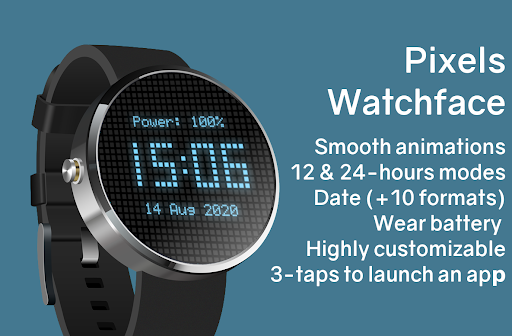
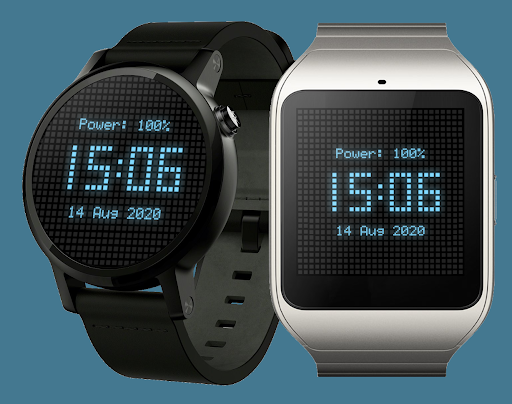
Pixels Watch Face is a clean watch face which displays the clock as glowing dots on a matrix. Digits are smoothy animated when the time is changing.
- Colorful
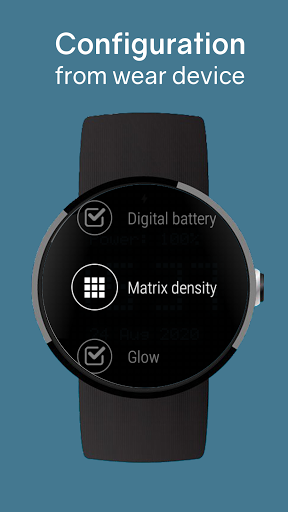
Many colors are available to customize the watch face : change the glowing dots color or all the other dots colors to your taste.
- Useful
Pixels Watch Face displays the wear battery level above the clock.
The date can also be displayed, above or below the clock, using your favorite format.
- Tasty!
You dislike the squared pixels ? So set the dots style to circles!
- Sensitive
Quickly click 3-times on the watch face to start your favorite wearable application! Useful and very more discrete than "OK Google"!
- Battery saver
Finally, the ambient mode will save your battery life! OLED screens can also choose the possibility to keep the screen ON, but this option is disabled by default.