How to draw 3d step by step


How to draw 3d step by step Summary
How to draw 3d step by step is a ad-supported Android app in Art And Design by Smart Room Apps. Released in Jan 2019 (7 years ago). It has about 676.3K+ installs and 1.3K ratings with a 2.65★ (poor) average. Based on AppGoblin estimates, it reaches roughly 22.6K monthly active users and generates around $<10K monthly revenue (0% IAP / 100% ads). Store metadata: updated Aug 19, 2020.
Recent activity: 18.2K installs this week (31.9K over 4 weeks) showing exceptional growth View trends →
Store info: Last updated on Google Play on Aug 19, 2020 .
2.65★
Ratings: 1.3K
Screenshots

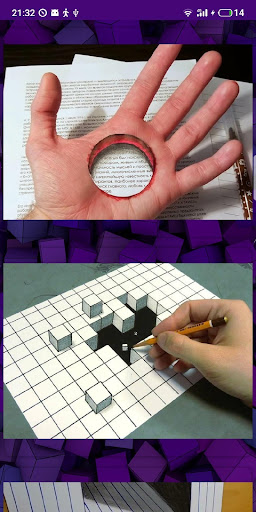
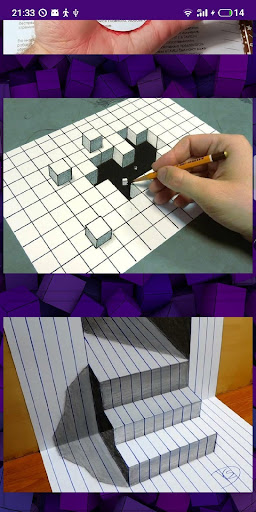
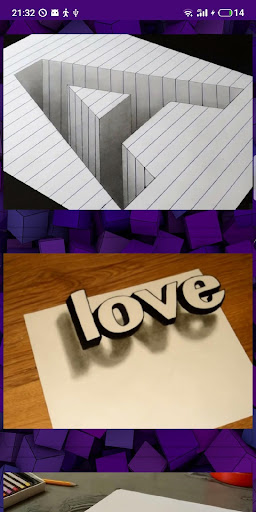
App Description
Detailed tutorials for drawing cool three-dimensional drawings
Do you admire 3d pictures on the Internet? Do you want, but don’t know how to draw them? It's time to fix it!
* How to draw 3D drawings step by step - these are the most popular examples of three-dimensional pencil drawings today with a step-by-step detailed explanation of all the details.
* How to draw 3d drawings - these are lessons available to anyone, regardless of the level of pencil skills!
Learn how to draw 3D realistically thanks to high-quality photo instructions and comments of our application.
Fascinating three-dimensional illusions on flat paper, painted by your own hands - what can inspire even more?
It is not at all necessary to possess the talents of an artist in order to delight his friends and relatives with such creations. Just use the How to draw 3d drawings application step by step and you will see how easy and interesting it is. You will definitely succeed.
The application is absolutely free and does not require an internet connection.
So that we can stay in touch with you and receive your comments and advice in a timely manner, leave ratings and reviews.
How to draw 3D? Easy!
Sincerely and wish you success, Smart Room Apps.