WhatsCPU


WhatsCPU Summary
WhatsCPU is a ad-supported Android app in Tools by steven he. Released in Feb 2023 (3 years ago). It has about 187+ installs Based on AppGoblin estimates, it reaches roughly 11 monthly active users and generates around $<10K monthly revenue (0% IAP / 100% ads). Store metadata: updated Aug 21, 2024.
Recent activity: 1.00 installs this week (2.00 over 4 weeks) showing below average growth View trends →
Store info: Last updated on Google Play on Aug 21, 2024 .
0★
Ratings: 0
Screenshots


App Description
WhatsCPU is a simple yet powerful functional Android application.
WhatsCPU is a simple yet powerful functional Android application. For example, device information/phone information includes CPU, RAM, operating system, sensors, storage, battery, SIM, Bluetooth, network, installed applications, system applications, display, camera, battery, and other related information. In addition, device information/phone information can benchmark your device through hardware testing.
Here's what's inside: 🔰🔰🔰
🍒🍒🍒 Device: device name, model, manufacturer, device, motherboard, hardware, brand, IMEI, hardware serial, SIM serial, SIM subscriber, network operator, network type, WiFi MAC address.
🥭🥭🥭 System: version, code name, API level, release version, bootloader, internal version number, baseband, Java VM, kernel, language, root management application, and system uptime
🥝🥝🥝 CPU: processor, CPU architecture, supported ABIs, CPU hardware, CPU governor, number of cores, CPU frequency, running cores, GPU renderer, GPU vendor, and GPU version
🍇🍇🍇 Battery: temperature, voltage, and capacity
🌺🌺🌺 Network: IP address, gateway, subnet mask, and DNS
🦋🦋🦋 Memory: RAM, RAM type, RAM frequency, ROM, internal storage, and external storage
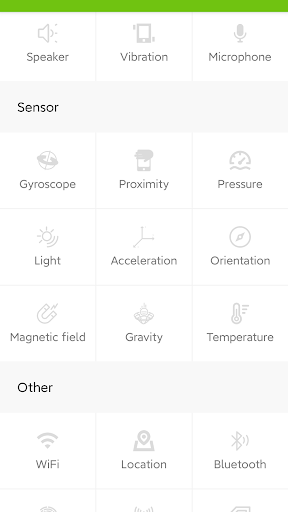
🐷🐷🐷 Sensors: sensor name, sensor vendor, real-time sensor value
🐔🐔🐔 Applications: user applications, installed applications, application version, minimum operating system, target operating system, installation date, update date, permissions, activities, services, providers, receivers, and extract application APK
🧲🧲🧲 Device Testing:
Benchmark your device using the following sections, optimize your device with automated testing. You can test display, multi-touch, flashlight, speaker, headphone speaker, microphone, ear proximity, light sensor, accelerometer, vibration, Bluetooth, Wi-Fi, fingerprint, volume up button, and volume down button.