Home Button, Easy Touch iOS


Home Button, Easy Touch iOS Summary
Home Button, Easy Touch iOS is a ad-supported Android app in Personalization by Powerful Cleaner Studio. Released in Nov 2021 (4 years ago). It has about 46.9K+ installs and 2.5K ratings with a 4.63★ (excellent) average. Based on AppGoblin estimates, it reaches roughly 685 monthly active users and generates around $<10K monthly revenue (0% IAP / 100% ads). Store metadata: updated Apr 10, 2022.
Recent activity: 227 installs this week (886 over 4 weeks) showing steady growth , and 9.00 new ratings this week View trends →
Store info: Last updated on Google Play on Apr 10, 2022 .
4.63★
Ratings: 2.5K
Screenshots


App Description
Assistive Touch iOS, Home Button, Back Button, Assistive Touch iPhone
Assistive Touch iOS - Home Button - Easy Touch
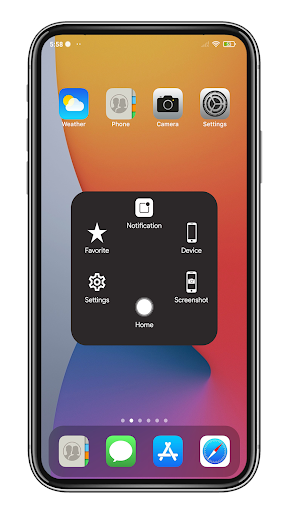
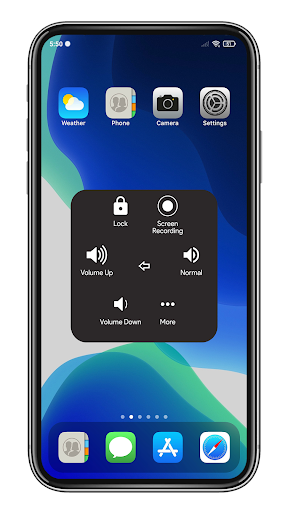
Assistive Touch iOS is a simple application (Soft Keys) that replaces your hard keys such as : Home Button, Back Button, Recent Button, Power Button, Volume Button ...
Key Features
Assistive Touch for Android (iOS and iPhone Style)
- Virtual Home button, easy touch to lock screen and open recent task
- Virtual Back button, Recent button
- Virtual Volume button, quick touch to change volume and change sound mode
- Easy touch to open your favorite application
- Capture Screenshot
- Screen Recorder | Video Recorder with audio : Record your screen in full HD with face cam, watch and edit video
Quick Settings:
- Turn on / off Wifi
- Turn on / off Bluetooth
- Switch audio mode (Vibration, Normal, Silent)
- Turn off / unlock the screen rotation
- Open location (Location)
- Turn on flashlight
- Increase / decrease the volume
- Airplane mode (Airplane)
- Change the screen brightness
- Change the Screen Timeout
- Split Screen (Android 7.0 or newer)
- Return to the main screen (Home)
- Back button (Back)
- View notifications
- Multitasking
- Lock screen
- Save favorite apps for quick access
Especially, which Gesture Settings (Single Tap, Double Tap, Long Press) you can custom gestures for your favorite action.
This app uses the Device Administrator permission for : turn off screen
This app uses Accessibility services for : Home, Back, Recent, show Notifications, split screen ...
Note : If you want to uninstall this Assistive Touch, please open app and scroll down, click on uninstall button.
Thank for your support