Thermal Camera VR : Sim/Prank


Thermal Camera VR : Sim/Prank Summary
Thermal Camera VR : Sim/Prank is a ad-supported, with in-app purchases Android app in Entertainment by webcamfx. Released in Mar 2017 (9 years ago). It has about 935.1K+ installs and 2.7K ratings with a 4.17★ (good) average. Based on AppGoblin estimates, it reaches roughly 20.9K monthly active users and generates around $<10K monthly revenue (22% IAP / 78% ads). Store metadata: updated Oct 25, 2023.
Recent activity: 53 installs this week (185 over 4 weeks) showing steady growth , and 1.00 new ratings this week View trends →
Store info: Last updated on Google Play on Oct 25, 2023 .
4.17★
Ratings: 2.7K
Screenshots

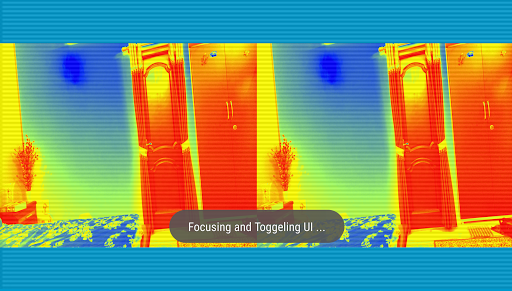
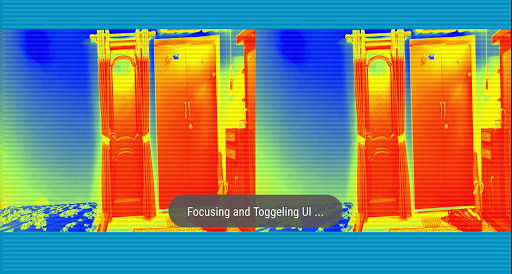
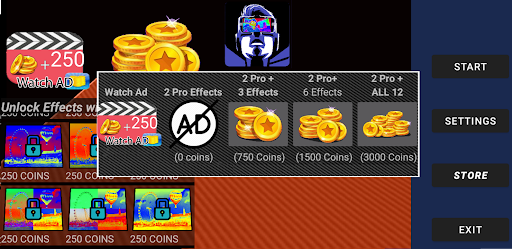
App Description
Virtual Reality Thermal Camera Effects for your device
This App supports the Gen 3 version of Flir USB Cameras.
Even without that hardware, you can use this app to explore your world in virtual reality with Thermal effects.
Use a VR headset with a camera cutout or enough space to have the Flir device exposed outside the VR hedset.
"Thermal Camera VR" uses tonal mapping to simulate the thermal view and Uses Flir USB device ir data for the same in Flir mode.
Use Of App in VR :
Get your mobile VR headset ready and enjoy the world with different Thermal Effects.
Start the application either in Flir mode or in Sim mode and choose one effect and switch to VR mode by touching the VR mode button on-screen.
Features:
-App provides side By side camera view with Fx or with Flir data for VR experience
- Supports camera flash
- Supports front camera /Not suggested for VR mode
- Support hardware camera button present on some devices.(can be configured to shoot image or video)
- Multiple thermal camera profiles/effects
-Effects can be changed using headphone volume controls when
in VR mode. (not in Flir mode)
-To Record Video in VR mode : Start recording before switching to VR mode.
-Supports Flir One and Flir One pro
- Temp metering in Flir Mode
- PIP in Flir mode for visual vs thermal comparison
-Pip VR mode is also in FLir mode.
Saved images and videos are stored inside the camera folder "DCIM/ILVrCameraThermal"
In-app purchases or Reward Advertisements can be used to unlock extra effects inside the app.
Support:
For any queries, grievances, suggestions, or issues with this app,
Email support at "inductionlabs1@gmail.com".
Disclaimer: "Thermal Camera VR " is only a simulation of Thermal camera and it will not detect any infra-red or have any short of heat sensing without Flir USB camera.