Income Tax Filing, ITR - Black


Income Tax Filing, ITR - Black Summary
Income Tax Filing, ITR - Black is a mobile Android app in Finance by ClearTax. Released in Dec 2020 (5 years ago). It has about 812.9K+ installs and 15.8K ratings with a 4.70★ (excellent) average. Based on AppGoblin estimates, it reaches roughly 68.6K monthly active users . Store metadata: updated May 29, 2026.
Recent activity: 483 installs this week (1.8K over 4 weeks) showing steady growth View trends →
Store info: Last updated on Google Play on May 29, 2026 .
4.7★
Ratings: 15.8K
Screenshots

App Description
Income Tax Return (ITR) Filing App - e File ITR, Invest in Mutual Funds & ELSS
Filing income tax returns and investing in tax-saving mutual funds, SIP, and ELSS just got simpler! Download the BLACK App by Cleartax and finish your income tax e-filing in just 3 minutes! Let Cleartax take taxes off your mind.
India's #1 ITR e-filing platform and direct mutual fund investment app aims to simplify ITR e-filing and investments in India.
Income Tax Return (ITR) Filing via BLACK
1. File in just 3 minutes and in 3 simple steps
2. Autofill data with just one click
3. 1000s of capital gains transactions imported in seconds
4. Supports multiple Form 16s
5. Auto-selection of tax regime and ITR form
Why use the BLACK App?
1. File ITR on the go in 3 simple steps and 3 mins
2. Autofilled data with just PAN details
3. Best investment app to invest in ELSS and save Rs 46,800
For e-filing tax returns
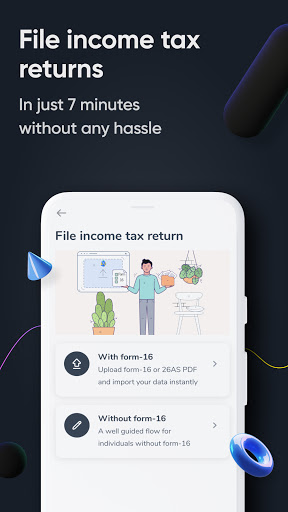
Option 1: File with the details pre-filled from the government-authorised e-filing portal.
Step 1: Select the 'File ITR with pre-filled data' option
Step 2: Enter your credentials - your PAN is the username.
Step 3: Review and edit the details if required
Step 4: Click on 'Submit to finish e-filing'
Option 2: Upload your Form 16
Step 1: Select the 'Upload Form 16' option
Step 2: Upload Form 16
Step 3: Verify the details and click 'Submit' to finish filing
If you have switched jobs within a year, you can upload multiple Form 16s. Cleartax will read your Form 16s and help you file your income tax returns.
What does the BLACK App provide?
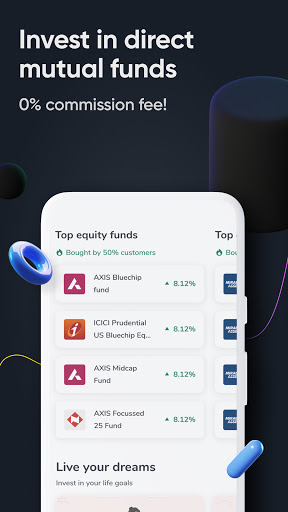
Invest in direct mutual funds via BLACK
1. Easy to decide on how to invest in direct mutual funds and ELSS funds
2. Curate the mutual fund pack yourself.
3. Receive timely updates on the performance of mutual funds
4. Track the status of your investments in SIPs and ELSS funds
5. Check and manage your mutual fund portfolio
6. Invest through the app for free and grow your wealth
How does the BLACK App work?
1. For investing in mutual funds
2. Log in or sign up on the BLACK App by Cleartax
3. Choose the most suitable fund among our handpicked mutual fund plans.
4. Choose the preferred mode of investment (lump-sum or SIP)
5. Complete your KYC process
6. Link your bank account and transfer the amount
7. Receive details of your investment, such as the folio number, through an email or SMS.
The