Custom Weather Alerts


Custom Weather Alerts Summary
Custom Weather Alerts is a with in-app purchases Android app in Weather by Vázquez Software. Released in Apr 2017 (8 years ago). It has about 368.4K+ installs and 3.2K ratings with a 4.14★ (good) average. Based on AppGoblin estimates, it reaches roughly 18.2K monthly active users and generates around $<10K monthly revenue (100% IAP / 0% ads). Store metadata: updated Jul 11, 2025, version 70.
Recent activity: 13.3K installs this week (23.6K over 4 weeks) showing exceptional growth , and -1 new ratings this week View trends →
Advertising: AppGoblin detected 1.00 monetized ad creatives shown inside the app.
Data tracking: SDKs and third-party integrations were last analyzed on Mar 4, 2026. The app's network data flows (API traffic to/from the app and its SDKs) were last crawled on Nov 11, 2025.
Store info: Last updated on Google Play on Jul 11, 2025 (version 70).
Custom Weather Alerts was last scanned for SDKs 2026-03-04. Below is the overview of third party companies detected in the app. The full list of raw SDKs, app permissions and unknown SDKs is available here.
 Google
 AdMob
AdMob4.14★
Ratings: 3.2K
Screenshots

App Description
Accurate weather forecast for your alerts: rain, wind, snow, clouds, sun, etc.
Set the weather alerts that matter to you just when you want:
• Wind alert.
• Rain alert.
• Storm alert.
• Cloudiness, fog and temperature alert.
Features:
• Very accurate.
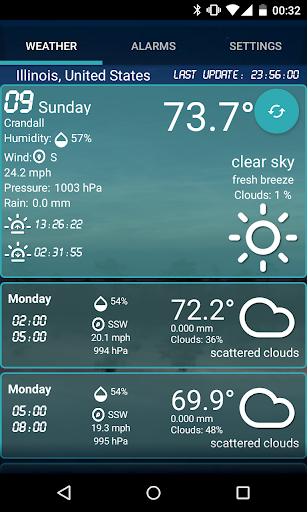
• Weather forecast is served by www.OpenWeatherMap.com, that uses data from NOAA model.
• World weather.
• Europe weather.
• Local weather.
• Custom Weather Alerts is also a beautiful and handy weather app, with customizable icons and backgrounds.
• Widget with the current weather from your current location.
• The most accurate current and future weather reports.
• Notifications with two sounds: loop alarm sound or simple notification sound.
• Pick up your location manually or let the GPS find your location.
• Lightweight app.
• Gets the name of the weather station.
• Current weather data for more than 200,000 cities.
• Current weather meteorology for any location (lat/lon).
• Humidity, pressure, sunset and sunrise.
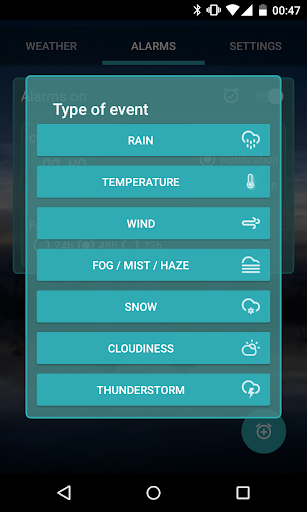
Type of alarms or warnings:
• Rain. (More than a desired quantity in mm)
• Temperature. (More than or less than certain degrees)
• Wind. (More than a desired speed)
• Fog / Mist / Haze
• Snow.
• Clouds / Cloudiness. (More than or less than a certain percentage)
• Thunderstorm.
Follow these steps to get started
• Pick up a location or let the GPS do it for you.
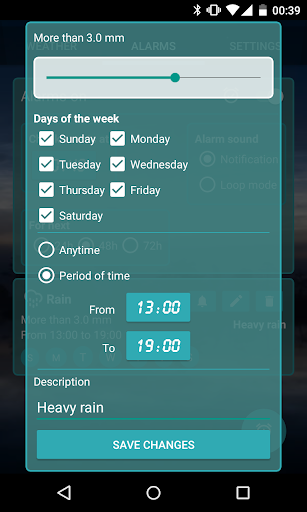
• Specify the weather conditions that matter to you.
• Set the days and hours for the weather conditions you want to keep track of.
• Set the hour when the forecast is going to be checked everyday.
• Select the type of sound: loop alarm mode or simple notification sound.
Define the weather conditions that matter to you and be always prepared. Weather plays a large part in our lives:
• Windsurf or surf. Will it be windy enough?
• A day at the beach. Will it be hot and sunny?
• Will it rain? Should I hang the clothes out to dry?
• If it rains or snows, I'll wake up sooner to go to work.
• Soaring in aircraft.