kubenav - Kubernetes Dashboard


kubenav - Kubernetes Dashboard Summary
kubenav - Kubernetes Dashboard is a with in-app purchases Android app in Libraries And Demo by Rico Berger. Released in Jan 2020 (6 years ago). It has about 21.2K+ installs and 165 ratings with a 4.45★ (good) average. Based on AppGoblin estimates, it reaches roughly 1.2K monthly active users and generates around $<10K monthly revenue (100% IAP / 0% ads). Store metadata: updated Feb 2, 2026.
Recent activity: 570 installs this week (1.3K over 4 weeks) showing exceptional growth , and 1.00 new ratings this week View trends →
Data tracking: SDKs and third-party integrations were last analyzed on Nov 8, 2024.
Store info: Last updated on Google Play on Feb 2, 2026 .
kubenav - Kubernetes Dashboard was last scanned for SDKs 2024-11-08. Below is the overview of third party companies detected in the app. The full list of raw SDKs, app permissions and unknown SDKs is available here.
 Flutter
 Google
4.45★
Ratings: 165
Screenshots


App Description
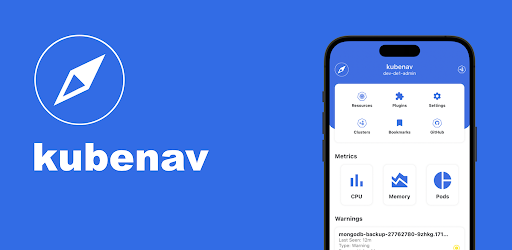
kubenav is the navigator for your Kubernetes clusters right in your pocket.
kubenav is a mobile app to manage Kubernetes clusters. The app provides an overview of all resources in a Kubernetes cluster, including current status information for workloads. The details view for resources provides additional information. It is possible to view logs and events or to get a shell into a container. You can also edit and delete resources or scale your workloads within the app.
- Available mobile: kubenav provides the same experience as kubectl for mobile.
- Manage Resources: All major resources like Deployments, StatefulSets, DaemonSets, Pods, etc. are supported.
- Custom Resource Definitions: View all Custom Resource Definitions and mange Custom Resources.
- Modify Resources: Edit and delete all available resources or scale your Deployments, StatefulSets, DaemonSets.
- Filter and Search: Filter the resources by Namespace and find them by their name.
- Status Information: Fast overview of the status of workloads and detailed information including Events.
- Resource Usage: View the requests, limits and current usage of Pods and Containers.
- Logs: View the logs of a container or stream the logs in realtime.
- Terminal: Get a shell into a container, right from your phone.
- Manage multiple Clusters: Add multiple clusters via `kubeconfig` or your preferred Cloud Provider, including Google, AWS and Azure.
- Port-Forwarding: Create a port-forwarding connection to one of your Pods and open the served page in your browser.
- Prometheus Integration: kubenav allows you to view your Prometheus metrics directly in the dashboard and to build your own dashboards via the Prometheus plugin.