Invoice Maker - Invoice Fly


Invoice Maker - Invoice Fly Summary
Invoice Maker - Invoice Fly is a with in-app purchases Android app in Business by Labhouse Mobile. Released in Dec 2022 (3 years ago). It has about 1.1M+ installs and 68.1K ratings with a 4.69★ (excellent) average. Based on AppGoblin estimates, it reaches roughly 243.8K monthly active users and generates around $10K+ monthly revenue (100% IAP / 0% ads). Store metadata: updated May 18, 2026, version 1377.
Recent activity: 77.4K installs this week (235.1K over 4 weeks) showing exceptional growth , and 7.3K new ratings this week View trends →
Data tracking: SDKs and third-party integrations were last analyzed on May 5, 2026. The app's network data flows (API traffic to/from the app and its SDKs) were last crawled on Feb 20, 2026.
Store info: Last updated on Google Play on May 18, 2026 (version 1377).
Invoice Maker - Invoice Fly was last scanned for SDKs 2026-05-05. Below is the overview of third party companies detected in the app. The full list of raw SDKs, app permissions and unknown SDKs is available here.
 JetBrains
 Kotlin
 Square
 Google
 Intercom
 RevenueCat
 Firebase
 Smartlook
 AppsFlyer
4.69★
Ratings: 68.1K
Screenshots

App Description
Make invoices, bills, receipts & estimates on the go with Invoice Generator.
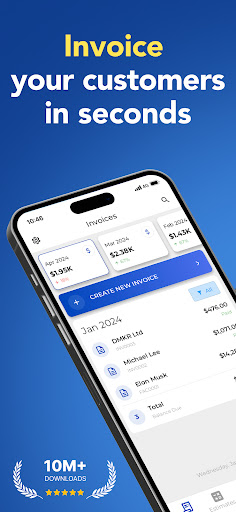
Invoice Fly is the easiest way to create and send professional invoices to your clients. It’s perfect for small businesses, freelancers and contractors. Whether you need to create and invoice or estimate, Invoice Fly is the #1 invoice app for the job.
Keep your finances organized with Invoice Fly, where you can easily create, send and track invoices on your phone.
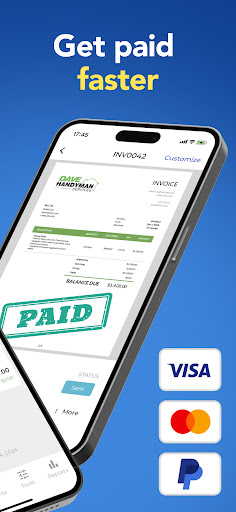
You will be able to configure as many details as you need, adding payment information, taxes, withholding, due dates, extra images, discount, signature and more. Also, you will be notified when the customer receives and opens your invoice.
Features:
-Create invoices in less than a minute, anywhere you are.
-Generate invoices from estimates with a tap.
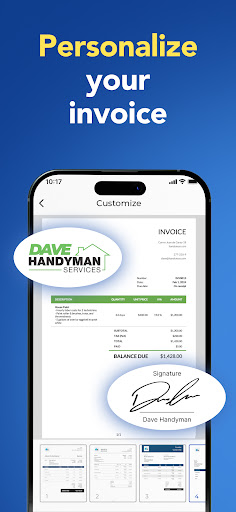
-Choose from different invoice templates and customize them.
-Attach images and additional notes.
-Discounts per item or total.
-Taxes per item or total.
-Add signature.
-Share or print invoices on the go.
-Quickly setup clients from your phone contact list.
-Sync all your devices with the same account.
-Track your incomes with easy to use reports.
-Get notified when the client receives and opens your invoice.
-24/7 support
Creating and sending an invoice has never been so easy:
Step 1: Tap create invoice
Step 2: Select your client to bill, easily from your contacts
Step 3: Add the desired items and prices
Step 4: You are ready to go, save and send.
Privacy Policy: https://labhouse.io/privacy-policy
Terms of use: https://labhouse.io/terms-and-cond