Timer Conference - Meeting Pro

Timer Conference - Meeting Pro Summary
Timer Conference - Meeting Pro is a ad-supported Android app in Productivity by Studio DG WebLab. Released in Mar 2022 (4 years ago). It has about 432+ installs Based on AppGoblin estimates, it reaches roughly 27 monthly active users and generates around $<10K monthly revenue (0% IAP / 100% ads). Store metadata: updated Oct 30, 2025.
Recent activity: 4.00 installs this week (16 over 4 weeks) showing steady growth View trends →
Store info: Last updated on Google Play on Oct 30, 2025 .
0★
Ratings: 0
Screenshots

App Description
Timer for meetings and conferences on Zoom: manage time with ease!
Timer Conference - Meeting Pro: the ideal app for managing time in video conferences, meetings, and online sessions.
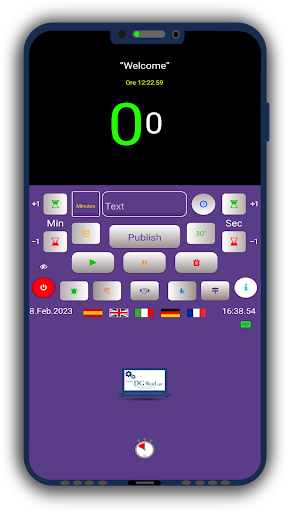
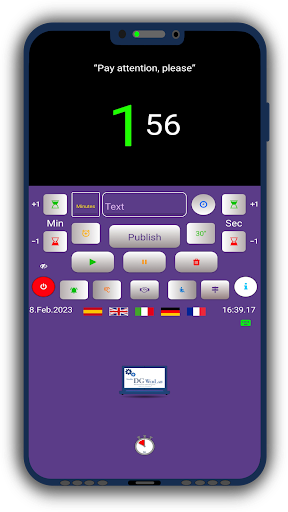
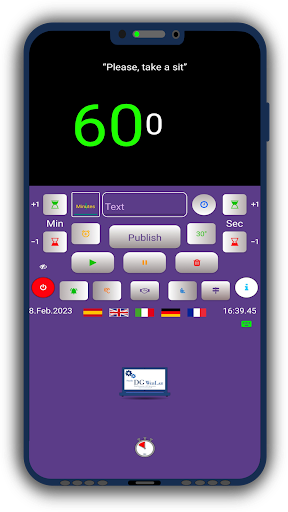
Whether you are conducting a conference or a JW meeting on Zoom, or an online seminar, this app offers a countdown timer to monitor the available time or set the duration of individual interventions.
🔑 Key Features:
⏳ Countdown Timer: Perfect for keeping track of time during presentations, meetings, and conferences.
🌍 Multilingual Support: Available in English (US), Italian, German, French, and Spanish.
✏️ Customizable Text: Insert text visible to attendees and use pre-configured quick insert buttons.
➕ Add Time: Manually add additional minutes (and seconds) if an intervention needs to be extended.
🔔 Sound Signal: A sound signal notifies you when time is up, but it can be disabled if preferred.
💻 Compatibility with Windows PCs: Use Timer Conference on a Windows PC via the BlueStacks program and display the timer on the platform you are using for the video conference (like Zoom) using broadcast software (like OBS Studio).
📊 Ideal for Meetings: Useful for those who start and manage JW meetings on Zoom and need a timer to insert in the window with OBS, for example on a PC with Chrome OS. You can download the app from the Play Store and use it in combination with OBS.
📥 Download Timer Conference - Meeting Pro today and see how easy it can be to manage your time in Zoom meetings, online conferences, and seminars!
⭐ If you find the app useful, don't hesitate to leave your feedback through a review and share it with those who might find it useful.