Cute Note Widget for Korean

Cute Note Widget for Korean Summary
Cute Note Widget for Korean is a ad-supported Android app in Personalization by chlorocube. Released in Dec 2024 (1 year ago). It has about 3.1K+ installs Based on AppGoblin estimates, it reaches roughly 293 monthly active users and generates around $<10K monthly revenue (0% IAP / 100% ads). Store metadata: updated Nov 22, 2025.
Recent activity: 216 installs this week (566 over 4 weeks) showing exceptional growth View trends →
Store info: Last updated on Google Play on Nov 22, 2025 .
0★
Ratings: 0
Screenshots

App Description
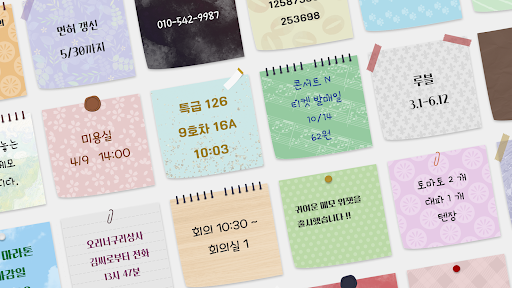
A sticky note widget with simple, cute and easy-to-read design.
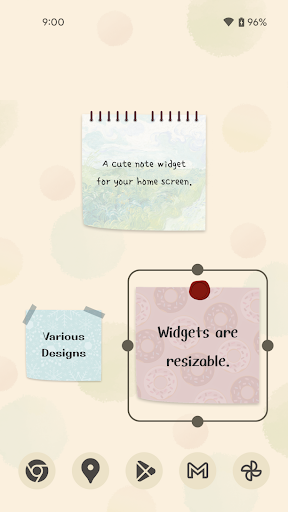
This is a note widget that can be placed on your home screen.
A sophisticated, pretty, and easy-to-read design.
What you can customize:
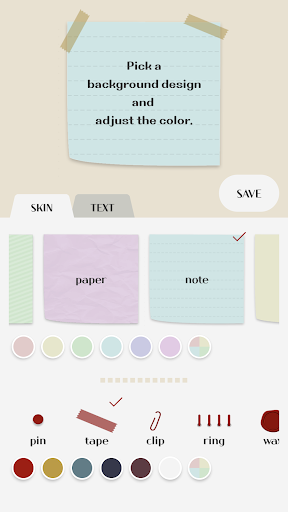
- Change the background design and color
- Adjust the text font, size and color
- Adjust the line spacing and padding of the text
- Add multiple note widgets to your home screen
- Resize the note widgets on your home screen
- Register up to 5 colors of your choice (for both background design color and text color)
- Duplicate a note
To place a note widget on your home screen:
Please follow the steps below:
https://support.google.com/android/answer/9450271?hl=en
To edit the contents of a note:
Method 1: Tap the note widget on your home screen to open the edit screen.
Method 2: Open the CuteNoteWidget app and tap the note from the list to open the edit screen.
To duplicate a note:
You can only duplicate data from an existing note when creating a new note widget.
1. Tap the red database icon at the upper-right corner of the edit screen.
2. Tap the note from the list to duplicate it.
Languages currently supported:
English, Korean
(*) This app includes fonts that support the Korean language.