Aerophone Pro Editor


Aerophone Pro Editor Summary
Aerophone Pro Editor is a mobile Android app in Music And Audio by Roland Corporation. Released in Dec 2020 (5 years ago). It has about 11.2K+ installs and 66 ratings with a 3.20★ (mixed) average. Based on AppGoblin estimates, it reaches roughly 1.1K monthly active users . Store metadata: updated May 7, 2026.
Recent activity: 41 installs this week (178 over 4 weeks) showing steady growth View trends →
Store info: Last updated on Google Play on May 7, 2026 .
3.2★
Ratings: 66
Screenshots
App Description
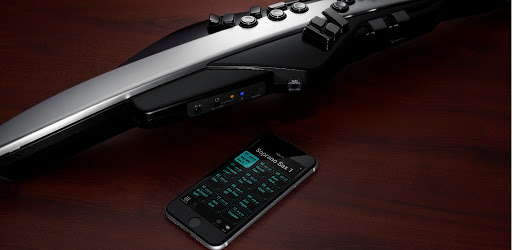
Customize your Aerophone Pro / Aerophone AE-20 for maximum expression
Applicable models: Aerophone Pro AE-30/ Aerophone AE-20
Aerophone Pro Editor is an application that allows you to customize the sound creation and performance settings of the Aerophone Pro/Aerophone AE-20 to bring out its full potential.
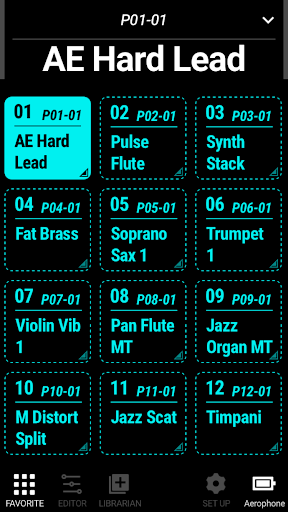
It can also be used as a remote control to select and switch favorite Scenes* on the screen. You can also use the Librarian function to load/write user Scenes from the Aerophone Pro/Aerophone AE-20 and save them as files on mobile devices or cloud services. You can prepare a set of Scenes to match your playing environment, share them with other players, and enjoy Aerophone more in accordance with your preferences and playing style.
*Scenes are the tones that are managed on Aerophone.
For more information about Aerophone Pro and Aerophone AE-20, please visit
https://roland.cm/aerophone_products
Main features
・Wireless connectivity via Bluetooth®.
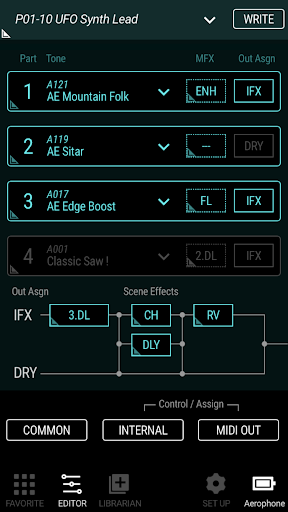
・Layer up to four tones to create original Scenes
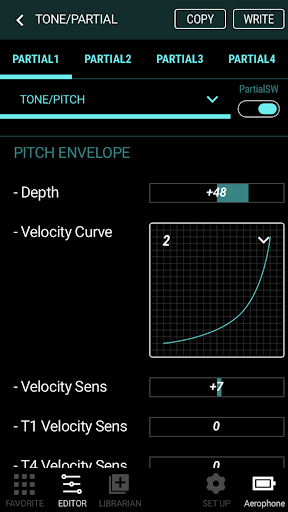
・Full editing of scene parameters*.
・Favorite Scenes can be selected at any time from the Favorite screen
・Manage Aerophone Pro/Aerophone AE-20 Scenes with Librarian
・Assign control parameters for breath control, bite control, and thumb control
・Detailed settings for built-in effects.
*Full editing of scenes and ZEN-Core tones