Sony | Monitor & Control


Sony | Monitor & Control Summary
Sony | Monitor & Control is a mobile Android app in Productivity by Sony Corporation. Released in Jul 2023 (2 years ago). It has about 291.3K+ installs and 1K ratings with a 3.97★ (average) average. Based on AppGoblin estimates, it reaches roughly 46.7K monthly active users . Store metadata: updated Mar 6, 2026.
Recent activity: 2.7K installs this week (9.8K over 4 weeks) showing steady growth , and 12 new ratings this week View trends →
Store info: Last updated on Google Play on Mar 6, 2026 .
3.97★
Ratings: 1K
Screenshots


App Description
Monitor & Control ver. 2.6.0 has been released
- Supported cameras (as of March 2026)
BURANO, PXW-Z200, HXR-NX800, FX6, FX3, FX2, FX30, α1 II, α1, α9 III, α7R V, α7S III, α7 V, α7 IV, α7C R, α7C II, ZV-E1
*Requires the latest system software.
- Please refer to the Support Page for details of the connection process and supported cameras:
https://www.sony.net/ccmc/help/
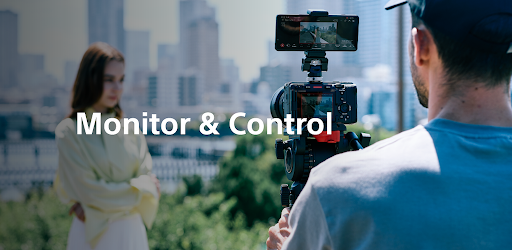
This mobile app for video creators enables wired and wireless video monitoring, as well as high-precision exposure adjustments and focus control on the larger screens of smartphones, tablets, and Macs.
Features of Monitor & Control
- Highly flexible shooting style
The app allows a smartphone, tablet, or Mac to be used as a second monitor, and camera settings and operations to be performed from a remote location, via a wired or wireless connection.
- Support for high-precision exposure monitoring*
The ability to check waveform monitor / false colour / histogram / zebra displays on a large screen enables more accurate exposure settings at the video production site.
- Intuitive focusing operations
Various focus settings / operations, such as touch focus (operation) and AF sensitivity adjustment (settings) are possible, while a control bar at the side of the screen enables intuitive focusing.
- Equipped with a wide range of colour setting functions
Operations such as Picture Profile / Scene File setting and LUT switching are possible. You can apply LUTs while shooting in Log mode and display the image in order to check the final look.
- Easy operability that meets the needs of creators
The app allows adjustments that are frequently made during shooting (frame rate, sensitivity, shutter speed, ND filter*, look, white balance) to be made on a mobile device. Functions are provided that facilitate shooting, such as switching between shutter speed and angle displays, and the display of markers, as well as a de-squeeze display function compatible with anamorphic lenses.
* If the camera does not have an ND filter, the ND Filter item will be blank.
- Operating environment:
Android OS 13-16
- Note:
This application is not guaranteed to work on all smartphones and tablets.