Yahoo!音声アシスト - 声でスマホをかんたん便利に


Yahoo!音声アシスト - 声でスマホをかんたん便利に Summary
Yahoo!音声アシスト - 声でスマホをかんたん便利に is a ad-supported Android app in Lifestyle by Yahoo! JAPAN (LY Corporation). Released in Mar 2014 (12 years ago). It has about 3.5M+ installs and 42.7K ratings with a 4.33★ (good) average. Based on AppGoblin estimates, it reaches roughly 6.9K monthly active users and generates around $<10K monthly revenue (0% IAP / 100% ads). Store metadata: updated Jun 2, 2026.
Recent activity: 430 installs this week (1.6K over 4 weeks) showing below average growth , and -14 new ratings this week View trends →
Store info: Last updated on Google Play on Jun 2, 2026 .
4.33★
Ratings: 42.7K
Screenshots
App Description
“What is the weather tomorrow?” “Check the last train to Yokohama” “Wake up at 6 o'clock” “Remind me at 18:30”
LINE Conversational Voice Agent App (Free) by Yahoo!
[End of Support for Android 7 and Below]
To ensure a safer experience with our voice assistant service, we will be discontinuing support for Android 7 and below, starting with app version 3.25.0.
You can still use voice assistant after support ends, but you will no longer be able to update to the latest version of the app. Thank you for your understanding.
With Yahoo! Voice Assistant, you can get the answers you need just by talking to your smartphone.
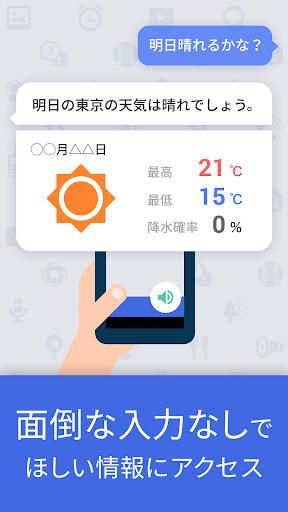
Just say, "Will it be sunny tomorrow?", "Find out the last train to Jiyugaoka," or "How tall is Mt. Fuji?" and your voice assistant will look it up on LINE Yahoo! and tell you the answer, just like a secretary.
You can also set an alarm by saying, "Wake me up at 7:45 AM," and it will gently wake you up with a melody that changes depending on the day's weather. After waking up, it will provide you with a summary of the day's news and fortune, providing powerful support for your busy mornings.
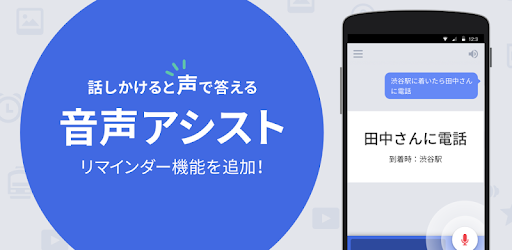
Furthermore, by stating a message such as "Remind me at 1:30 PM" or "Call me when I arrive at Shinjuku Station," the voice assistant will remind you at the specified time or location.
You can also change your smartphone settings or launch apps by simply saying "Turn off WiFi" or "Launch camera."
Why not make using your smartphone even easier and more convenient with Yahoo! Voice Assistant?
【Features】
● It responds when you speak.
For example, try saying the following:
"First train from Tokyo to Osaka." "Will it be sunny tomorrow?"
"Where am I?" "Nearby convenience store."
"Wake me up at 6:00." "Call Aya."
"Remind me at 7:00 PM." "Call when I arrive at Tokyo Station."
"Launch the calculator." "Launch LINE."
"What's the battery level?"
"Current TV show."
"Pictures of pandas." "Show me a funny video."
"What's the Taurus horoscope?" "Omurice recipe."
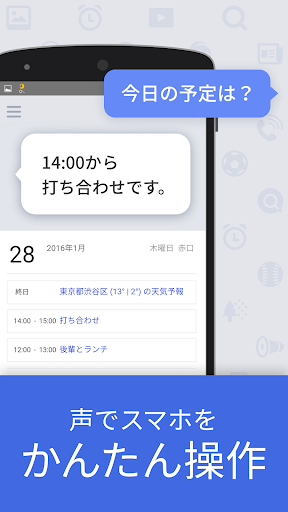
"What day is it today?" "When is the summer solstice?" "What are my plans for next week?"
"Tell me the election news." "What is Argentina's currency?"
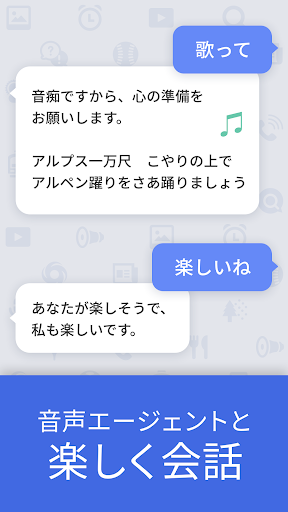
"Let's play a word chain game." "Sing a song." "Word association game."
When you talk to it, it understands what you're saying, looks up the information you want to know on LINE Yahoo, and responds verbally.
Supports route search, weather, maps, store information, news, stock prices, currency exchange, fortune telling, recipes, sports (professional baseball and J.League), and voice search. Voice control is also possible, including making calls, searching for contacts, launching apps, and setting alarms. It can also be used as a conversation partner for simple conversations.
■Alarm Function
- Set the alarm with your voice (you can also set it by touching the screen).
- Wake up with seven different alarm sounds based on the weather, so you'll know the weather as you wake up. You can set your favorite song as the alarm sound.
- After stopping the alarm, the voice assistant will greet you like a wake-up call and provide weather information.
- If you're having trouble waking up, try the "Speak to Dismiss" function. The alarm will not stop until you correctly pronounce the four-digit number displayed (it will stop even if you fail five times).
- You can set the ring duration and snooze interval. Repeat settings also support Japanese holidays.
* If an error occurs when activating the alarm
If an error occurs when activating the alarm, try speaking any utterance, such as "Hello," on the voice assistant's main screen.
■Widget (1x4 size)
- Tapping the clock on the widget will speak the current time and a short message.
・By installing the widget, you can use the time signal feature, which reads the time at regular intervals. Select the time signal interval under "Settings" > "Time Signal" on your device.
*The widget cannot be used if the app is installed on an SD card.
[Detailed Usage]
・If location information is enabled on your device, your current location will automatically be added to responses during route planning and weather information guidance.
・If location information is enabled and location permissions are granted, your device will periodically retrieve location information to enable the following functions:
- To retrieve weather information for your current location for the function that changes alarm sounds for different weather conditions.
- To notify you when you approach a registered location for the location-specific reminder function.
- To display notifications for each region for the voice assistant message notification function.
・About the "Settings" app menu
- Entering "Your Name" will occasionally result in a call.
- Registering your "Home Address" will automatically add your home address to responses during route planning and weather information guidance.
- Registering your birthday will make horoscopes and other features more convenient.
- To hide messages in the notification bar, go to "Advanced Settings" > "Messages" and turn them off.
- For other frequently asked questions and tips about voice assistance, please visit the voice assistance help page at https://support.yahoo-net.jp/SaaAssist/s/. It also provides solutions to problems like voice recognition issues.
[Operating Environment]
- Android OS 8.0 or higher
- To use voice assistance, your device must be equipped with a microphone.
- To use widgets, the app must be installed on the device's internal memory. Widgets will not be available if installed on an SD card.
- On some tablet devices, you may see the message "This app is not optimized for your device," but this does not affect installation or operation.
[Terms of Use]
● Please read and agree to the LINE & Yahoo! Common Terms of Use (including software guidelines) before using this app.
- LINE Yahoo! Terms of Use
https://www.lycorp.co.jp/ja/company/terms/
- Software Rules (Guidelines)
https://www.lycorp.co.jp/ja/company/terms/#anc2
● This app sends speech data to LINE Yahoo!'s servers. If location information is enabled in your device settings, location information is also sent to create the optimal response (if location information is disabled in your device settings, it will not be sent). When responding to questions about your device's contacts or calendar information, the response is created by referencing the information on your device. However, information stored in your device's address book or calendar is not sent to the server.
- Privacy Policy
https://www.lycorp.co.jp/ja/company/privacypolicy/
- Privacy Center
https://privacy.lycorp.co.jp/ja/