Shooting Stars Live Wallpaper


Shooting Stars Live Wallpaper Summary
Shooting Stars Live Wallpaper is a ad-supported, with in-app purchases Android app in Personalization by Kurousa. Released in Jan 2022 (4 years ago). It has about 2.2K+ installs Based on AppGoblin estimates, it reaches roughly 34 monthly active users and generates around $<10K monthly revenue (62% IAP / 38% ads). Store metadata: updated Aug 10, 2025.
Recent activity: 12 installs this week (32 over 4 weeks) showing below average growth View trends →
Store info: Last updated on Google Play on Aug 10, 2025 .
0★
Ratings: 0
Screenshots

App Description
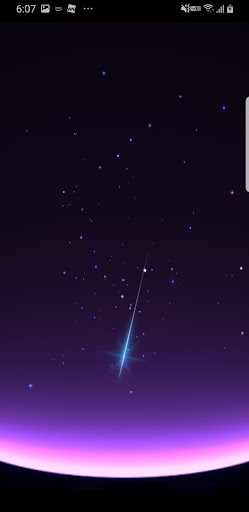
The shooting star falls in the blinking night sky. Stardust pops with tap screen
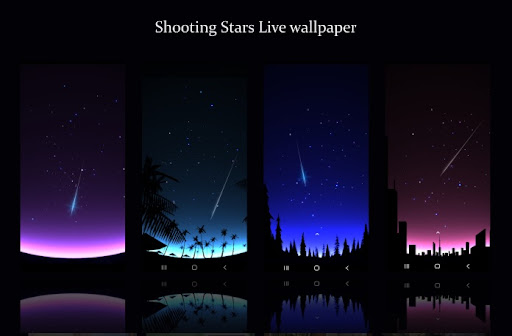
The beautifully transparent gradient background matches well with the home screen icon as a smartphone wallpaper. Furthermore, the stars and meteors that twinkle in the night sky give your heart a romantic healing atmosphere.
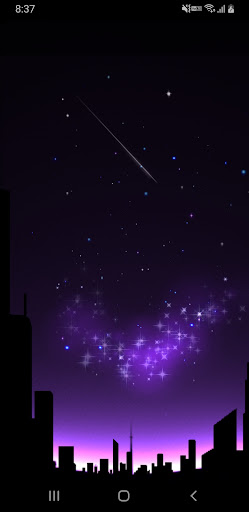
When you tap or slide the screen with your finger, many stardust will shine beautifully along the touched position.
This app is designed to reduce CPU consumption and battery consumption when using it. It will stop working while using other apps or when the screen is not displayed (including sleep mode).
If you set a silhouette in the foreground, you can experience a starry sky that reminds you of the universe and aurora with the contrast of the background gradation standing out.
It can be set for the home screen and lock screen.
Features / Customization (free):
-You can choose the animation speed (smooth, standard, power saving).
-You can change the number of stars.
-You can choose the background gradation color from 4 types: purble, cyan, blue, and pink.
-The moon is displayed in the night sky. You can choose from 5 levels of moon shape, from crescent to full moon.
-In-app purchases allow you to make the following additional customizations to prevent ads from appearing.
-You can set the silhouette of the foreground. You can choose from 4 types: palm, forest, town, and unspecified
-You can adjust the screen size of your device (you can zoom in and out to fit your phone screen).
-You can adjust the frequency of shooting stars.
HOW TO USE:
-After installation, an icon will appear in the list of apps, so tap it on "Set Wallpaper" → "Set Wallpaper" or
-Home → Menu → Wallpapers → Live Wallpapers
Since there is no out-of-network communication except with ads on the settings screen, you can use it with confidence without worrying about leakage of device information.
I think it goes well with your favorite gadgets and clock widgets, so please install it and enjoy it.