BeMyGuest OFFICIAL LIGHT STICK


BeMyGuest OFFICIAL LIGHT STICK Summary
BeMyGuest OFFICIAL LIGHT STICK is a mobile Android app in Entertainment by PIKABON Co., Ltd.. It has about 10.9K+ installs Based on AppGoblin estimates, it reaches roughly 1K monthly active users . Store metadata: updated Oct 31, 2024.
Recent activity: 10 installs this week (35 over 4 weeks) showing steady growth View trends →
Store info: Last updated on Google Play on Oct 31, 2024 .
0★
Ratings: 0
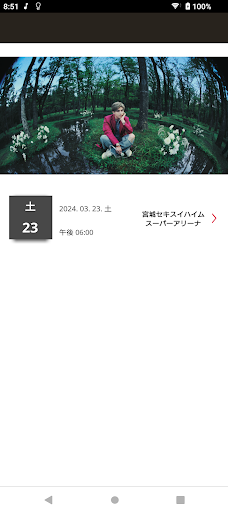
Screenshots



App Description
Be My Guest OFFICIAL LIGHT STICK mobile app.
This application supports the use of Be My Guest's official penlight.
[Information on main functions]
1. Seat information settings
After selecting the concert you want to participate in from the concert list and connecting it to the OFFICIAL LIGHT STICK using your smartphone's Bluetooth function,
Once you enter your ticket seat information, the lights will be controlled in a variety of ways to match the live performance.
2. Bluetooth connection
Press and hold the penlight button for 3 seconds to switch to "Bluetooth mode".
When you turn on the smartphone's "Bluetooth mode" and bring the penlight close, the penlight and smartphone will link.
3. Self mode
Select the desired color on the penlight and smartphone screen to change the color of the penlight.
4. Check remaining battery power
You can check the remaining battery power of the penlight by tapping the "Check Battery Status" button at the bottom of the screen while in "Self Mode". Check if the battery needs to be replaced.
*Depending on battery performance and smartphone model, the displayed remaining amount may differ from the actual remaining amount.
[Notes before viewing the concert]
- Please check the battery before the performance and replace it with a new battery if the battery capacity is low to prevent the wireless control lights from turning off during the performance.
[Information on required access privileges]
In order to use the service, you need access privileges for the following items.
*If a pop-up screen appears, press the "Allow" button.
- Bluetooth: for penlight connection
- Location information: for Bluetooth connection