Speedometer EX


Speedometer EX Summary
Speedometer EX is a ad-supported Android app in Tools by Smart and Small Software. Released in Oct 2016 (9 years ago). It has about 2.3K+ installs Based on AppGoblin estimates, it reaches roughly 126 monthly active users and generates around $<10K monthly revenue (0% IAP / 100% ads). Store metadata: updated Feb 27, 2025.
Recent activity: 25 installs this week (75 over 4 weeks) showing steady growth View trends →
Store info: Last updated on Google Play on Feb 27, 2025 .
0★
Ratings: 0
Screenshots

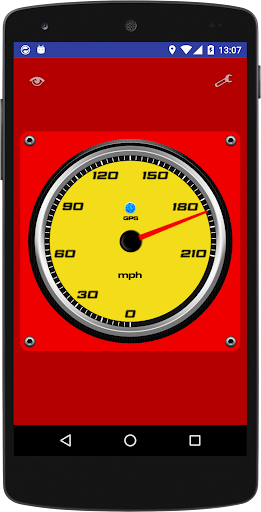
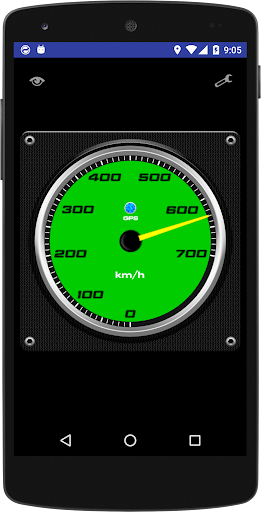
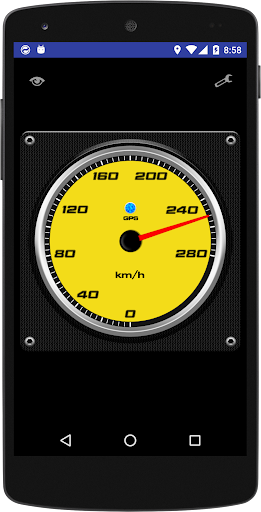
App Description
[0~1400 km/h] sophisticated Speedometer corresponding to an analog display.
<<>>
11 kinds of speed range, meter panel color changes, the maximum speed record, three of the trip meter, such as the switching of analog display and digital display, is a speedometer equipped with a rich set of features.
· Screen touch analog display and digital display with switches instantly.
(Analog display mode)
· 0 ~ 35 km/h (mph)
· 0 ~ 70 km/h (mph)
· 0 ~ 140 km/h (mph)
· 0 ~ 210 km/h (mph)
· 0 ~ 280 km/h (mph)
· 0 ~ 350 km/h (mph)
· 0 ~ 420 km/h (mph)
· 0 ~ 560 km/h (mph)
· 0 ~ 630 km/h (mph)
· 0 ~ 700 km/h (mph)
· 0 ~ 1400 km/h (mph)
※ speed range can be set to "automatic switching" in setting.
· Meter panel type of color (blue, green, red, white, yellow)
· Needle of color kind of (red, white, yellow)
· Base color of the type (black, red, woodgrain, Honeycomb pattern, Metal)
· Kind of background color (black, red, green, orange, purple)
· Speed measurement value can be corrected. (In the range of ± 10%)
· The maximum speed of the recording function
· Equipped with three of the trip meter
[Instruction]
1. Install the app.
2. Start the app to enable the GPS function.
3. To be in the analog display "GPS" lamp is lit in blue and you're ready.
· "Settings" ... analog display screen upper right corner of the "spanner" setting when you tap the icon screen is displayed.
· When you tap the "eye" icon in the "report" ... the top left of the screen, you maximum speed and three of the trip meter is displayed.
※ each recorded value of the report is cleared to "0" in the long press of the "Reset" button.
【Caution】
※ not available at the terminal where the GPS function is not installed.
※ When the GPS function is not enabled is not available.
※ location (underground, tunnel, etc.) radio waves of GPS does not reach not available in.
※ Each measured value may cause an error.