TkMixiViewer - mixi専用ブラウザ


TkMixiViewer - mixi専用ブラウザ Summary
TkMixiViewer - mixi専用ブラウザ is a ad-supported, with in-app purchases Android app in Social Networking by Panecraft, Inc.. Released in Apr 2010 (16 years ago). It has about 901.2K+ installs and 7.9K ratings with a 4.00★ (good) average. Based on AppGoblin estimates, it reaches roughly 80 monthly active users and generates around $<10K monthly revenue (27% IAP / 73% ads). Store metadata: updated May 11, 2026.
Recent activity: -2 new ratings this week View trends →
Store info: Last updated on Google Play on May 11, 2026 .
4★
Ratings: 7.9K
Screenshots


App Description
A dedicated browser that allows you to comfortably browse mixi diaries, communities, and tweets. A classic mixi app with over 900,000 downloads.
★Over 900,000 downloads!
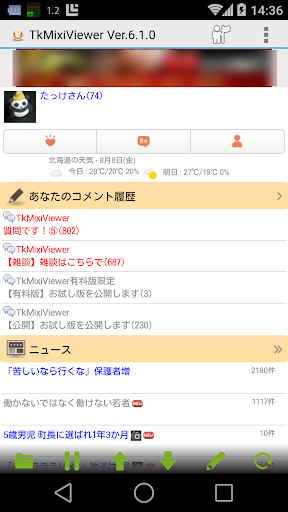
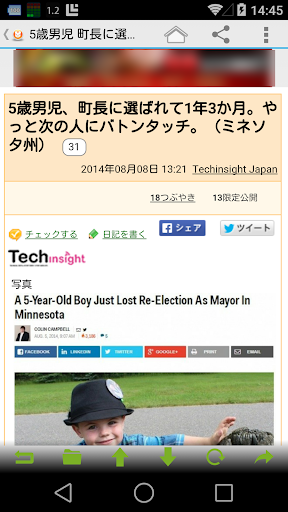
This app displays mixi news, diaries, tweets, communities, and more in an easy-to-read format.
Recommended for those looking for the ease of use of "Mobile Mixi" on feature phones.
Unlike the official mixi app, this app has a simple screen layout for smooth, comfortable browsing!
In particular, the app keeps track of how far you've read the "Community" section, and topics with new posts are displayed in red, making this app recommended for frequent community users!
*Please report any issues in the official community question topic. Please note that we cannot investigate or respond to comments posted in the Google Play Store.
*As of April 18, 2023, integration and simultaneous posting to X (formerly Twitter) will no longer be available. This is due to changes in X's API terms of use. Thank you for your understanding.
*This app is not provided by mixi, Inc.
■Main Features
・View and post tweets
・Notify of likes, comments, and visitors
・View your own and your friends' and friends' journals and comment history
・Post journal entries and write comments
・Create albums
・Upload photos
・View the latest community topics and comment history
・View the community list and favorite communities
・Write community comments
・View news
・View last week's visitors and your own visitors
・Read and reply to messages
・View your friends list
・Press and hold each item to "hide" or "reposition" them
・Display and post characters such as ① and heart marks (♡), which are garbled in Android browsers
・Check-in
■Usage Tips
・When viewing a community topic, tap "Comment" to quote the comment and reply.
・Tap "Comment" in a journal to reply.
・Press and hold a category on the home screen to hide or reorder it.
- Press and hold a button on the toolbar (at the bottom of the screen) to change (customize) it to a different function.
- Set your favorite image as the screen background. To do so, go to Menu Settings ⇒ Theme and Font Size.
* If the same button appears multiple times on the toolbar (at the bottom of the screen), it may have accidentally changed to a different function. Press and hold the button to change it to a different function.
* Some links, such as usernames, are not supported and are displayed in the built-in browser.
* To speed up the display of the top page, the PC version of mixi is downloaded in "Standard Mode." Therefore, when viewing mixi on a PC, it will automatically change to "Standard Mode." If you want to remain in "Timeline Mode," uncheck "Advanced Settings" ⇒ "Standard Settings" in the Settings.
* Due to device malfunction, the app may occasionally fail to launch after an update. Uninstalling and reinstalling the app or restarting your device may fix the issue.
* We use Google Analytics to collect anonymous statistical information about app usage to improve and analyze service quality.
●Official Community (TkMixiViewer)
https://mixi.jp/view_community.pl?id=5003071
●Author X
https://x.com/takke