Finden English STEP2

Finden English STEP2 Summary
Finden English STEP2 is a mobile Android app in Education by (주)한솔교육. Released in Sep 2014 (11 years ago). It has about 1.3K+ installs Based on AppGoblin estimates, it reaches roughly 11 monthly active users . Store metadata: updated Sep 19, 2014.
Store info: Last updated on Google Play on Sep 19, 2014 .
0★
Ratings: 0
Screenshots


App Description
Say it in English with confidence! Finden English STEP2!
※Notice
Please note that the Update fails and the corresponding APP.
It can not be used when you upgrade to the latest operating system.
Thank you very much to the members of the years.
===========================================
Introduce
Finden English STEP2 is not only interesting story book that children can relate to more interesting and creative toys Special Book
As a natural glow it will accept English. In addition, by repeating the situation by firing through the English Roleplaying (role-play) to see the direct protagonists move the book in story background, the English speech environment programs help develop the confidence to speak English more fluently.
Contents
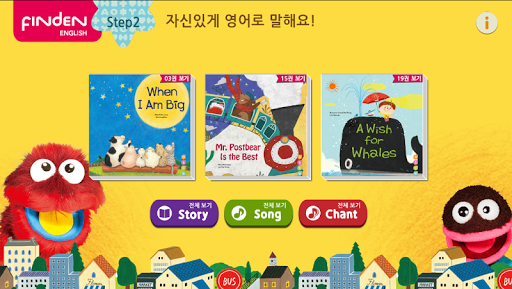
Story of the North Finden English STEP2, packs of three storybook images related to App. You can experience the story animation, story song, chant the alphabet.
Characteristic
(1) consisting of an animated picture of a storybook you can experience the three-dimensional storybook.
(2) Watch the video story song composed with a picture of a storybook you can enjoy the story sing.
(3) using the sensational video and music, you can enjoy the fun of the alphabet chant the alphabet monster and emerged with children.
(4) There are repeated features, children can enjoy themselves without the help of parents.
main function
(1) Play / Pause Button: You can play or pause the video.
(2) repeat button: You can repeat the image of the group that is currently playing.
(3) Subtitle button: You can watch the subtitles while watching the animated story.
(4) Previous / Next buttons: previous / next image.
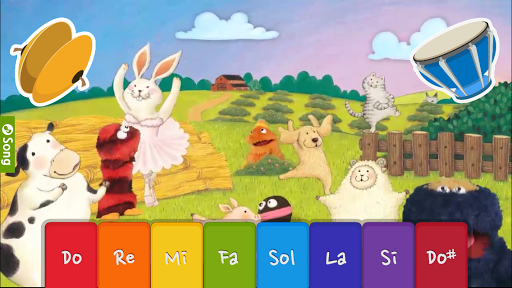
(5) Instrument button: as presses on the icon of cymbals, drums, piano keys playing a musical instrument, you can chant along with the song.