세무사시험 기출문제


세무사시험 기출문제 Summary
세무사시험 기출문제 is a mobile Android app in Education by Trutory. It has about 30.3K+ installs Based on AppGoblin estimates, it reaches roughly 5.9K monthly active users . Store metadata: updated Nov 28, 2025.
Recent activity: 353 installs this week (30.3K over 4 weeks) View trends →
Store info: Last updated on Google Play on Nov 28, 2025 .
0★
Ratings: 0
Screenshots


App Description
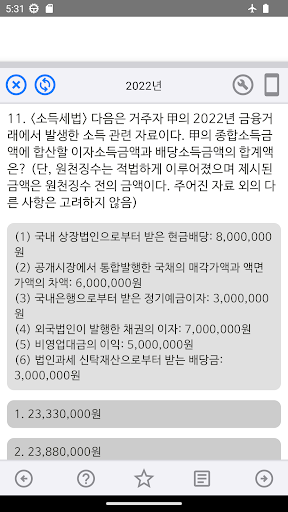
4,320 previous tax accountant exam questions from 2008-2025
= CPA Exam Past Questions =
This compilation includes past questions from the CPA exam from 2008-2025.
4,320 questions from the last 18 years are included.
= Contents Covered =
Public Finance
Introduction to Tax Law, Introduction to Accounting
Commercial Law, Civil Law, Administrative Litigation
= Program Features =
1. Progress Support – View your progress by subject and folder, allowing you to intuitively assess your learning progress.
2. Favorites and Error Note Support – Separate Favorites and Error Notes are provided. Add confusing or important questions to Favorites and manage them. Add incorrect questions to the Error Note, then repeat the study by deleting the correct ones.
3. Automatic Grading Support – Filters allow you to view only your correct and incorrect questions. You can also view your score at any time by selecting "View Results" from the menu, allowing quick access to the questions you want.
4. Support for various options – You can create a neat or detailed screen with various options. Take advantage of the various options.
5. Support for elective subjects – You can create your own tab menu by placing your elective subjects in the bottom menu using the options. (Applies to apps that support elective subjects only)
= Program Description =
Select the icon you want to study from the tab menu at the bottom of the screen.
Select a folder or subject in the center of the screen.
Selecting a subject will begin solving the problem.
You can view the answers as you solve the problem. You can also use the '+' button to add the problem to your favorites. If you select 'Auto-Progress' in the options, you will automatically advance to the next problem each time you solve it.
After completing a problem, it will be graded. You can view your correct and incorrect answers on the grading screen. You can also add incorrect answers to your error notebook.
The favorites and error notebook display brief problem information, and you can hide it if you don't need it.
[Required Access Permissions]
- Storage: This app stores information about problems solved by users within the app, as well as comprehensive problem-solving information such as "favorites," "incorrect answer notes," and scores.
- Wi-Fi Connection Information: This app detects internet connection status and uses it to deliver advertisements.
- In-App Purchases: This app allows users to remove advertisements and access other services when necessary.