서울시 소비재 정보마당 - 시각장애인용 제품 사용설명서


서울시 소비재 정보마당 - 시각장애인용 제품 사용설명서 Summary
서울시 소비재 정보마당 - 시각장애인용 제품 사용설명서 is a mobile Android app in Books And Reference by 서울특별시. It has about 7.6K+ installs Based on AppGoblin estimates, it reaches roughly 615 monthly active users . Store metadata: updated Oct 29, 2025, version 14.
Recent activity: 4.00 installs this week (28 over 4 weeks) showing exceptional growth View trends →
Advertising: AppGoblin detected 1.00 monetized ad creatives shown inside the app.
Data tracking: SDKs and third-party integrations were last analyzed on Nov 10, 2025. The app's network data flows (API traffic to/from the app and its SDKs) were last crawled on Jan 22, 2026.
Store info: Last updated on Google Play on Oct 29, 2025 (version 14).
서울시 소비재 정보마당 - 시각장애인용 제품 사용설명서 was last scanned for SDKs 2025-11-10. Below is the overview of third party companies detected in the app. The full list of raw SDKs, app permissions and unknown SDKs is available here.
 Google
 Bumptech
 Square
 Kotlin
 Firebase
0★
Ratings: 0
Screenshots

App Description
App that provides voice instruction manuals for the visually impaired
Seoul Consumer Finance Information Center is an audio manual app for the visually impaired developed by the Seoul Metropolitan Government. This app provides user manuals for medicines, home appliances, household goods, health functional foods, etc. in audio through AI TTS (text-to-speech) recording.
Key features include:
▶Search by scanning barcode or QR code
: When you scan the barcode or QR code on the product, you will automatically be taken to the product description page. You can select and listen to a variety of information, including product information, after service information, installation method, nutritional information, precautions, medication information, usage method, cooking method, ingredient name, and storage method. For home appliances, use the barcode found in the user manual.
▶Search by manufacturer/brand
: In addition to barcode/QR scanning, you can find product information through general search. You can select a product line from the “Find product information” menu and use product name search or symptom/manufacturer/product category search.
▶Text provision and convenience functions for the visually impaired with low vision
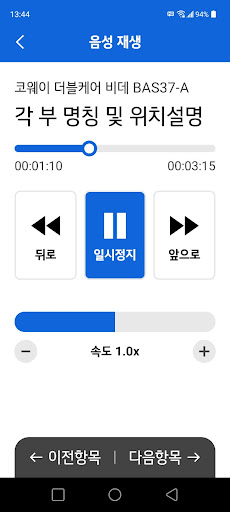
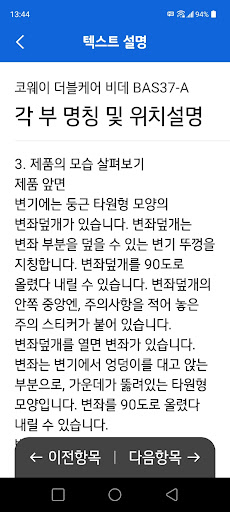
: You can select voice playback or text description on the product page, and convenient functions such as high-contrast dark mode, favorites, voice playback speed control, and forward/rewind are provided.
▶Continuous product product expansion and function enhancement
: Negotiations are underway with various companies to register more products, and we are continuously developing to make the consumer life of visually impaired people safer and more convenient.
※Information on app access permissions
1. [Required access rights] None
In accordance with the Information and Communications Network Act, which comes into effect on March 23, 2017, only essential items are accessed.
2. [Optional access rights]
The items below require consent upon use, and you can use services other than the relevant functions even if you do not consent.
*Camera: Used for barcode/QR code scanning.
*You can use the app even if you do not agree to the optional access permissions.
*To revoke optional access permissions, you can configure the permission selection in [Settings] - [App Selection].