Don't Touch Phone : Anti-Theft

Don't Touch Phone : Anti-Theft Summary
Don't Touch Phone : Anti-Theft is a ad-supported Android app in Tools by Tool Utility devloper. Released in Apr 2025 (11 months ago). It has about 122+ installs Based on AppGoblin estimates, it reaches roughly 8.00 monthly active users and generates around $<10K monthly revenue (0% IAP / 100% ads). Store metadata: updated Apr 24, 2025.
Recent activity: 1.00 installs this week (3.00 over 4 weeks) showing steady growth View trends →
Store info: Last updated on Google Play on Apr 24, 2025 .
0★
Ratings: 0
Screenshots


App Description
You can easily tell that someone is trying to touch your device
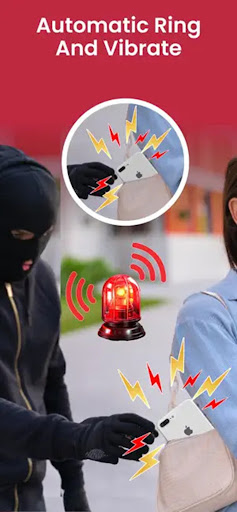
Do you don't like when someone tries to touch your device whenever you are far from it without your permission? Get the solution to it and launch this Don't Touch Phone : Anti-Theft App on your device to protect it from unwanted touches and when thieves try to steal your device. This Don't Touch Phone : Anti-Theft app allows you to easily detect that someone is trying to steal your device.
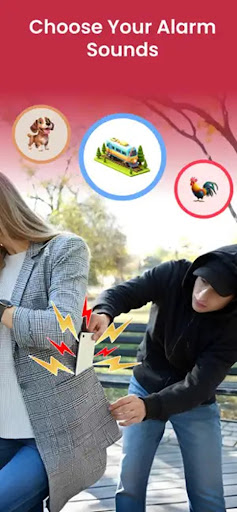
Don't Touch Phone : Anti-Theft allows a simple way to activate the services with your choice of sounds, with which you can easily get that someone is trying to touch your device. The app plays the sound when someone tries to move your device. With the Don't Touch My Phone Anti-Theft app, you can find various settings like vibration, sounds as per your volume, on/off sound as per your need, and also set duration according to your choice.
FEATURES:
• Get various collections of sound alert
• Easy to activate and deactivate service
• Set vibration as per your needs
• Adjust sound volume as per your requirements
• Customize the duration according to your choice
• Easily customize on/off settings of sounds, vibration as per your choice
• Get instructions on how to use the app
• Add your desired settings and activate the Don't Touch My Phone app